Camera capabilities in OutSystems mobile apps

The Camera plugin was OutSystems' third most-used Forge asset — and it was losing ground to unofficial alternatives. This is the story of how we closed that gap, rebuilt the developer experience, and shipped a sample app that made adoption impossible to miss.
Discovery
What the Camera plugin is — and where it lives
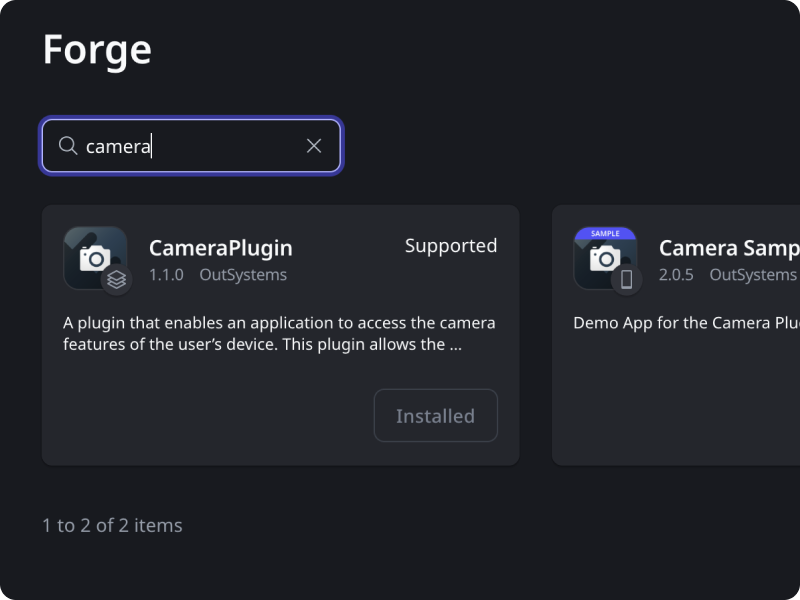
OutSystems is a low-code platform that lets enterprise development teams build and deploy web and mobile applications without writing most of the underlying code. It's used primarily by large organizations — banks, insurance companies, logistics providers — that need to ship internal tools at scale without proportionally scaling their engineering headcount.
A core part of the OutSystems mobile ecosystem is the Forge: a marketplace where developers find and install reusable plugins that extend what their apps can do. Some of these plugins are officially maintained by OutSystems. Others are community-built. Developers treat the official ones as the safe, supported default — and the unofficial ones as a workaround when the official option falls short.
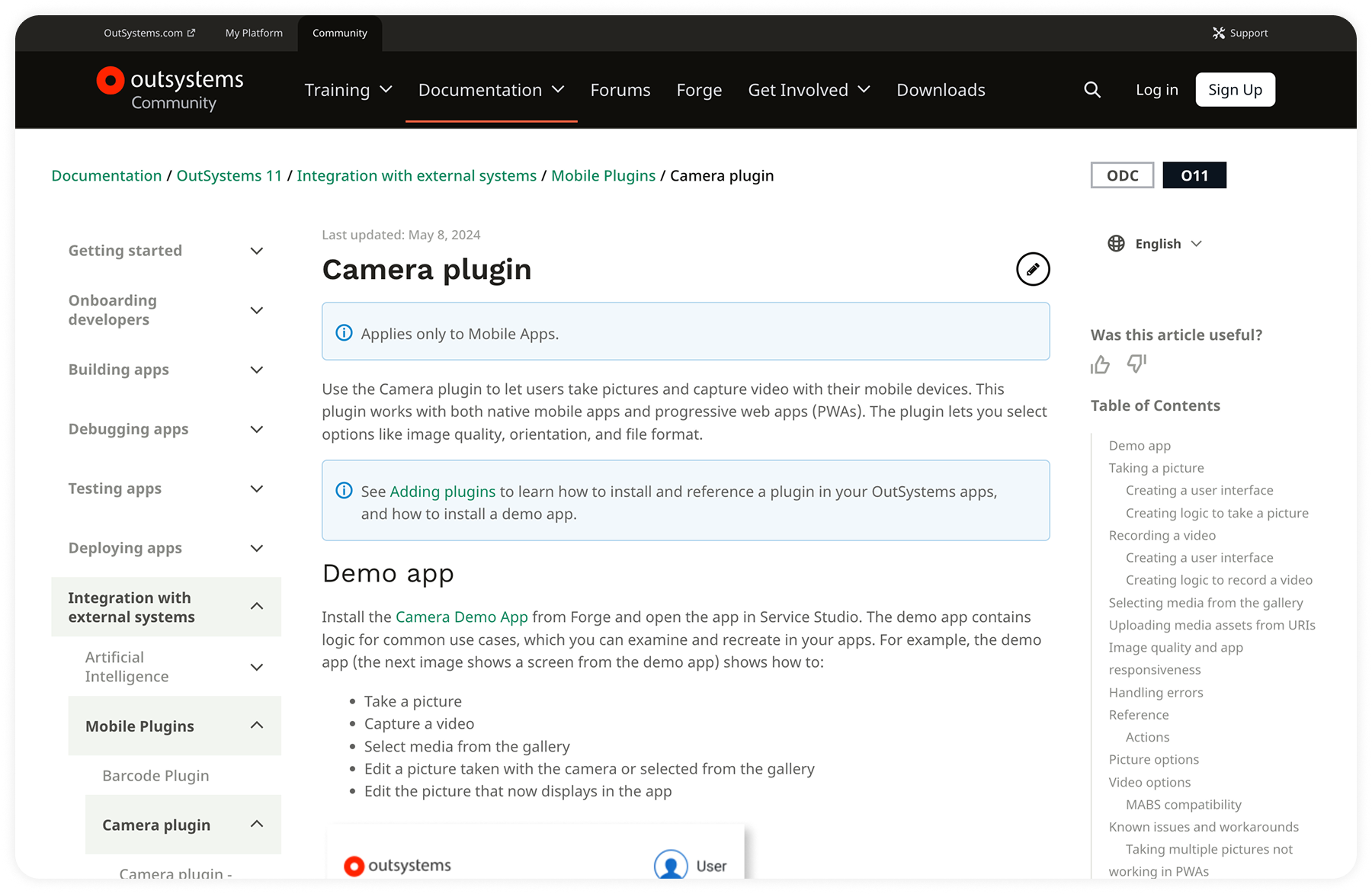
The Camera plugin is one of OutSystems' top-three Forge assets by usage. It gives developers the building blocks to add camera functionality — photo capture, gallery access, image editing — to any app built on the platform.
The problem
The Camera plugin wasn't broken. It was falling behind.
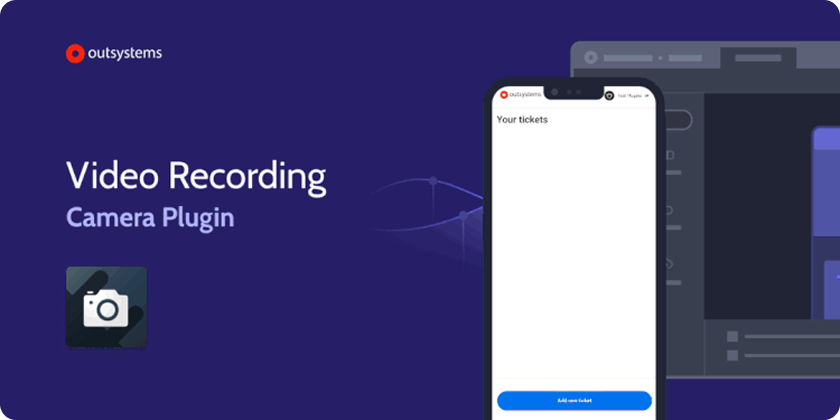
OutSystems developers build a lot of internal enterprise tools — field reporting apps, inspection workflows, maintenance logs. This is the bread and butter of the platform's B2E customer base, where large organizations deploy apps for their own employees. Camera functionality sits at the center of most of these use cases. The plugin had strong adoption. But it had a gap: no video support.
That gap was becoming a liability. Unofficial plugins offering video recording were gaining traction on the Forge. For any community asset, unofficial competition is normal. For an officially maintained plugin in the platform's top three, watching alternatives close the gap was a signal worth taking seriously — it meant developers were starting to look elsewhere when the official solution didn't cover their needs.
My mandate started as a feature addition: bring video recording to the Camera plugin. But I framed it as something bigger from the start. If we were going to touch the plugin anyway, this was the opportunity to modernize the full developer experience — and to ship something that would make the case for the official plugin clearly and visibly, not just on paper.
That's where the sample app decision came in. Documentation alone doesn't drive adoption. Developers needed to see the full capability set working inside a real-world context — the kind of app they were already being asked to build. I proposed pairing the plugin update with a demonstration app built around a validated use case.
Two objectives. One project: rebuild the developer experience around a plugin that needed to grow, and ship a sample app that made that growth impossible to miss.
Hands-on
Building on what already works
Before designing anything, I needed to understand how the existing plugin fit into the way OutSystems developers actually work. This wasn't a greenfield project. The Camera plugin had years of adoption behind it. Developers had built mental models around it. Any new feature that disrupted those patterns would create friction — not just in learning, but in trust.
So the first step wasn't sketching. It was mapping.
Understanding the system before touching it
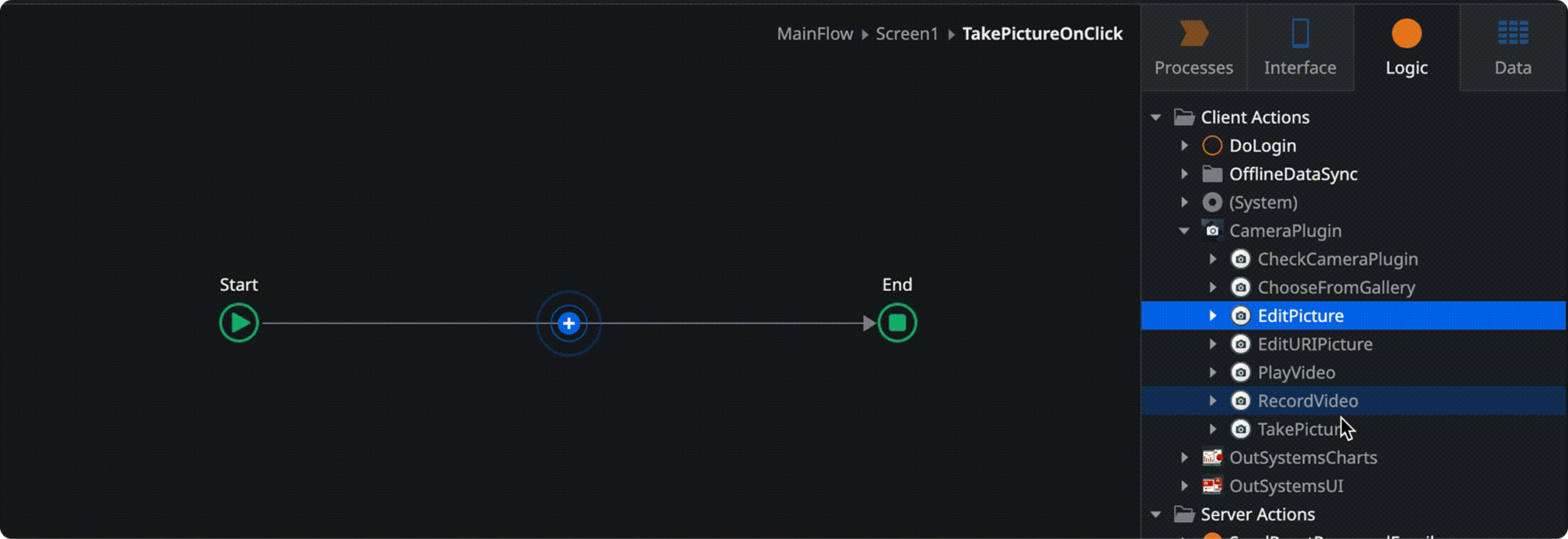
In OutSystems, the primary unit of logic for developers is the Action — a configurable flow that gets attached to UI events. A button press triggers an Action. A form submission triggers an Action. Actions are where developers orchestrate what the app actually does. They're the connective tissue of the entire platform.
The existing Camera plugin was already structured around Actions. A developer who wanted to let users take a photo would attach a TakePicture Action to a button, configure a few parameters, and the native camera experience handled the rest. It was clean, it was consistent with how the rest of OutSystems worked, and developers had internalized it.
That system model was the foundation I built on. Not because it was the only way to design a plugin — but because it was the right way to extend this one. Introducing a parallel paradigm for video would have created two mental models where one existed before. Developers would have to context-switch. The plugin would feel like two things bolted together rather than one coherent tool.
The decision was deliberate: new features had to be first-class Actions, indistinguishable in structure from the ones developers already knew. Consistency here wasn't a visual concern — it was a cognitive one.
Mapping features to Actions
With that constraint locked in, the design work became a precise mapping exercise. I identified every camera capability the plugin would now support and defined the corresponding Action for each — with the right parameters, the right naming conventions, and the right behavior expectations.
This required close alignment with engineering throughout. Actions aren't just UI abstractions — they have to map to what the native layer can actually expose. Every iteration went through a validation loop with the engineering team to confirm that what I was designing was architecturally sound, not just conceptually clean.
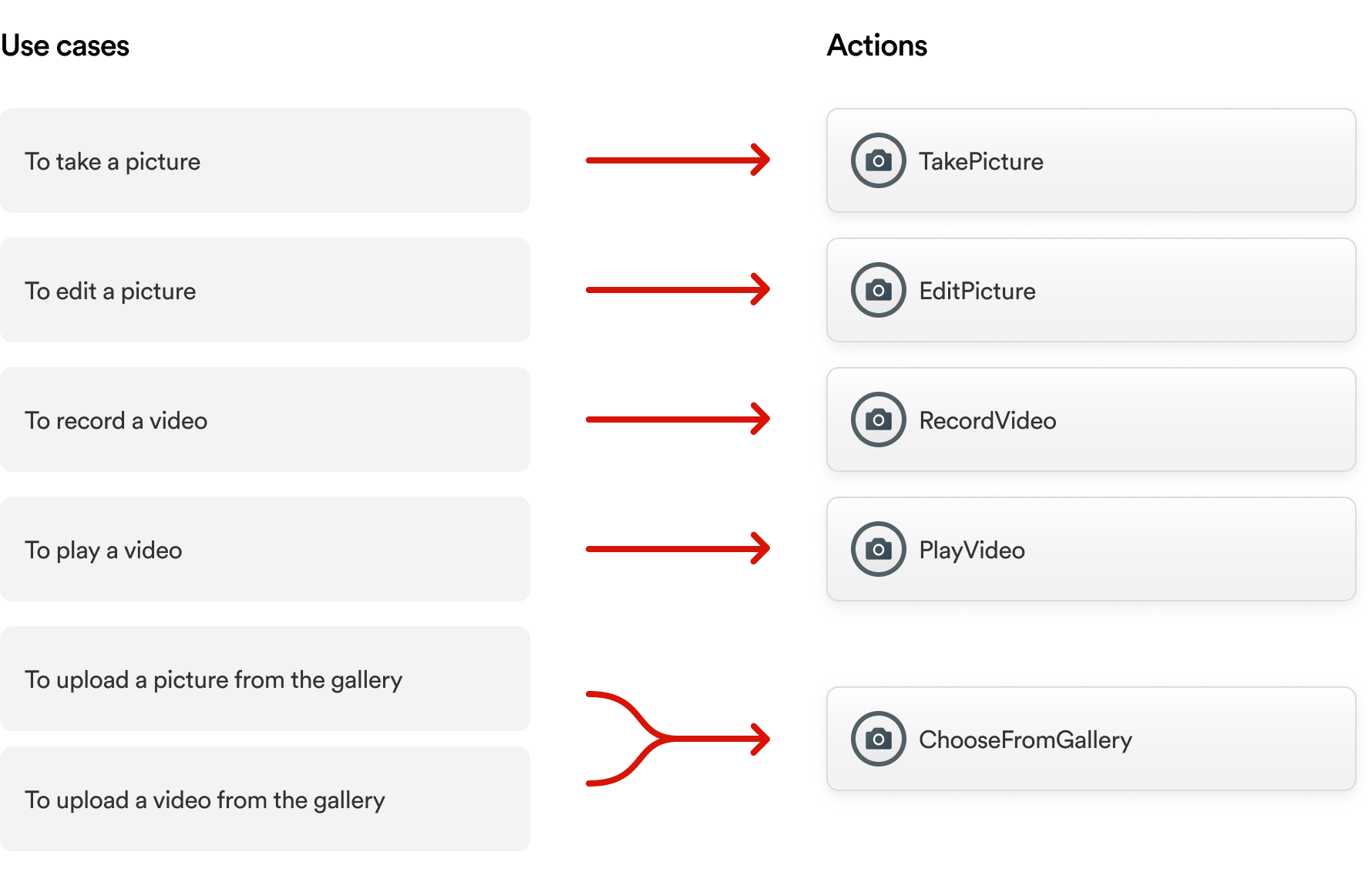
The new Actions followed exactly the same structural logic as the existing ones. Same parameter patterns. Same naming conventions. Same integration points. A developer who had used the plugin before could pick up the new capabilities without reading documentation first.
Here's what that looks like in practice. A developer needs a button that opens the device's camera to capture a photo. They attach a TakePicture Action to that button, configure a few parameters, and the native camera handles the rest. The same mental model now extends to RecordVideo, PlayVideo, and ChooseVideoFromGallery — no new paradigm to learn.
What I considered and didn't do
The interviews with developers surfaced requests for features like multi-file selection from the gallery — the ability to pick several images at once rather than one at a time. It was a legitimate pain point, and I understood why developers wanted it.
Multi-select gallery behavior varies significantly across iOS and Android. Building it correctly — with the right native behavior on both platforms, handled gracefully within the Action paradigm — would have extended the project significantly without shipping the video capabilities that were the core priority. The trade-off was explicit: depth on the primary objective over breadth into secondary ones. Multi-select went on the backlog with a clear rationale attached.
Designing for the use case that already exists
The developer experience solves one problem: giving developers the right building blocks. But building blocks alone don't tell a story. A developer looking at a list of Actions still has to imagine how they'd fit together in a real app. That leap — from capability to implementation — is where adoption slows down.
The sample app was designed to close that gap.
Choosing the right scenario
The use case selection wasn't intuitive — it was research-driven. I ran a study with OutSystems developers to map the camera-related scenarios they were actually building for their clients. Support ticket reporting came out as the most common.
That result made structural sense. A large portion of OutSystems' customer base builds B2E applications — tools that large enterprises deploy internally for their own employees. Field reporting, maintenance logs, issue documentation: these are recurring patterns across industries. An employee notices a broken piece of equipment, opens an app, captures photo or video evidence, and submits a ticket that routes to the right team. It's a flow that manufacturing, facilities management, retail, and logistics companies all recognize immediately.
Choosing support tickets wasn't playing it safe. It was choosing the scenario with the highest familiarity surface — the one where a developer could immediately map what they were seeing to something they'd already been asked to build.
Mapping the plugin to the journey
The design challenge was specific: every camera capability needed to appear in the app, but the flow had to feel like it was designed for users, not assembled to check boxes on a feature list.
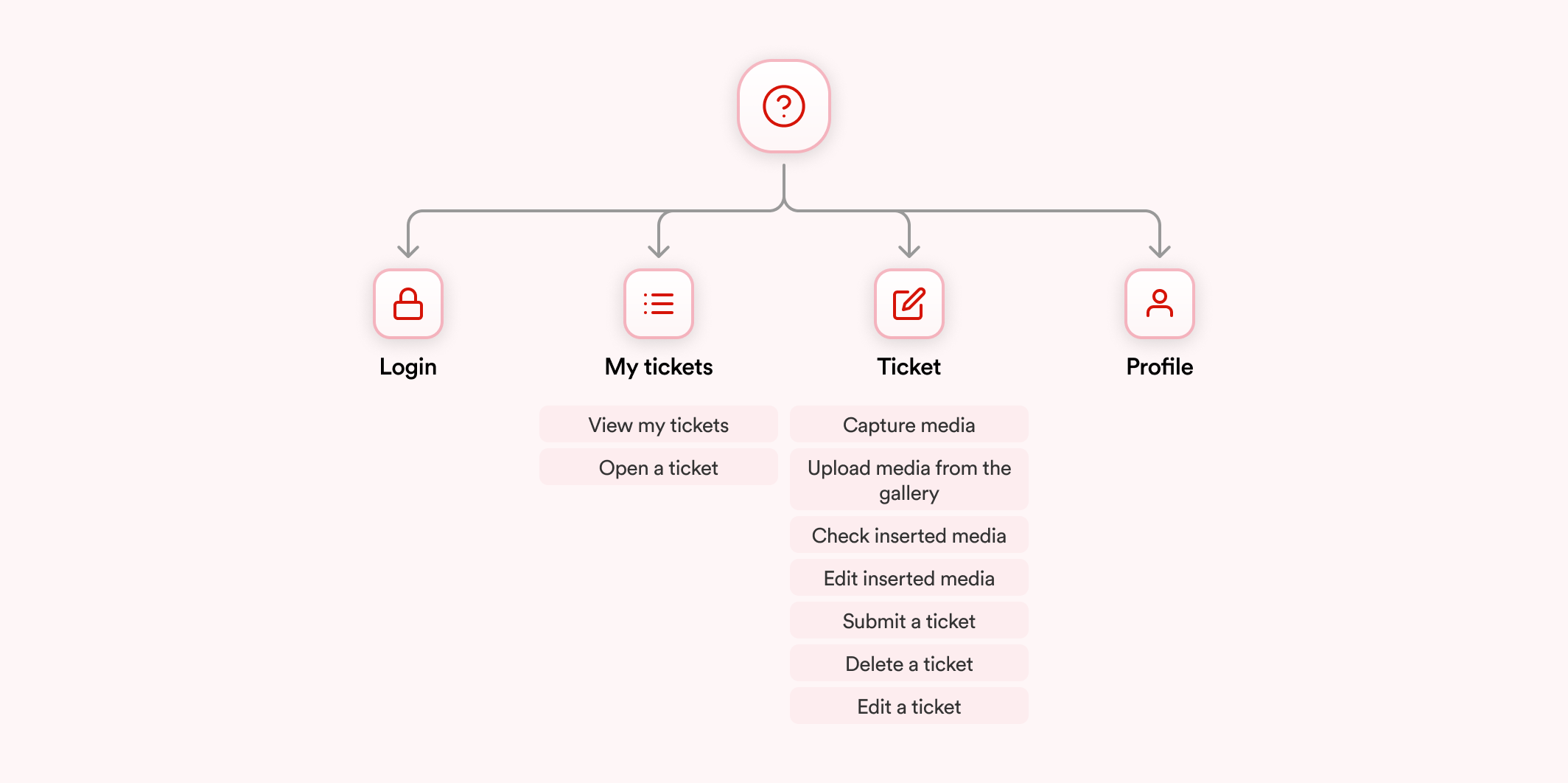
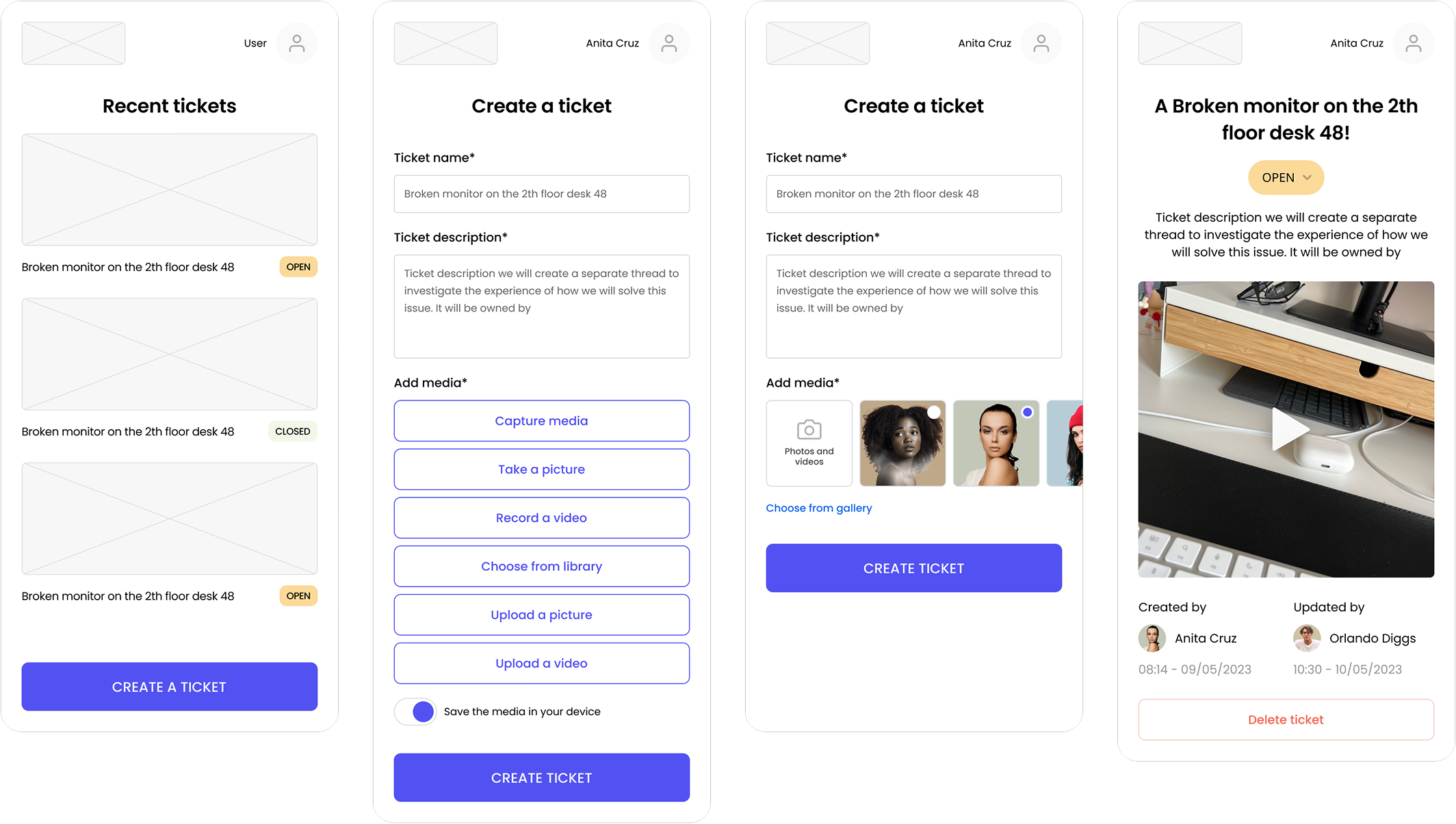
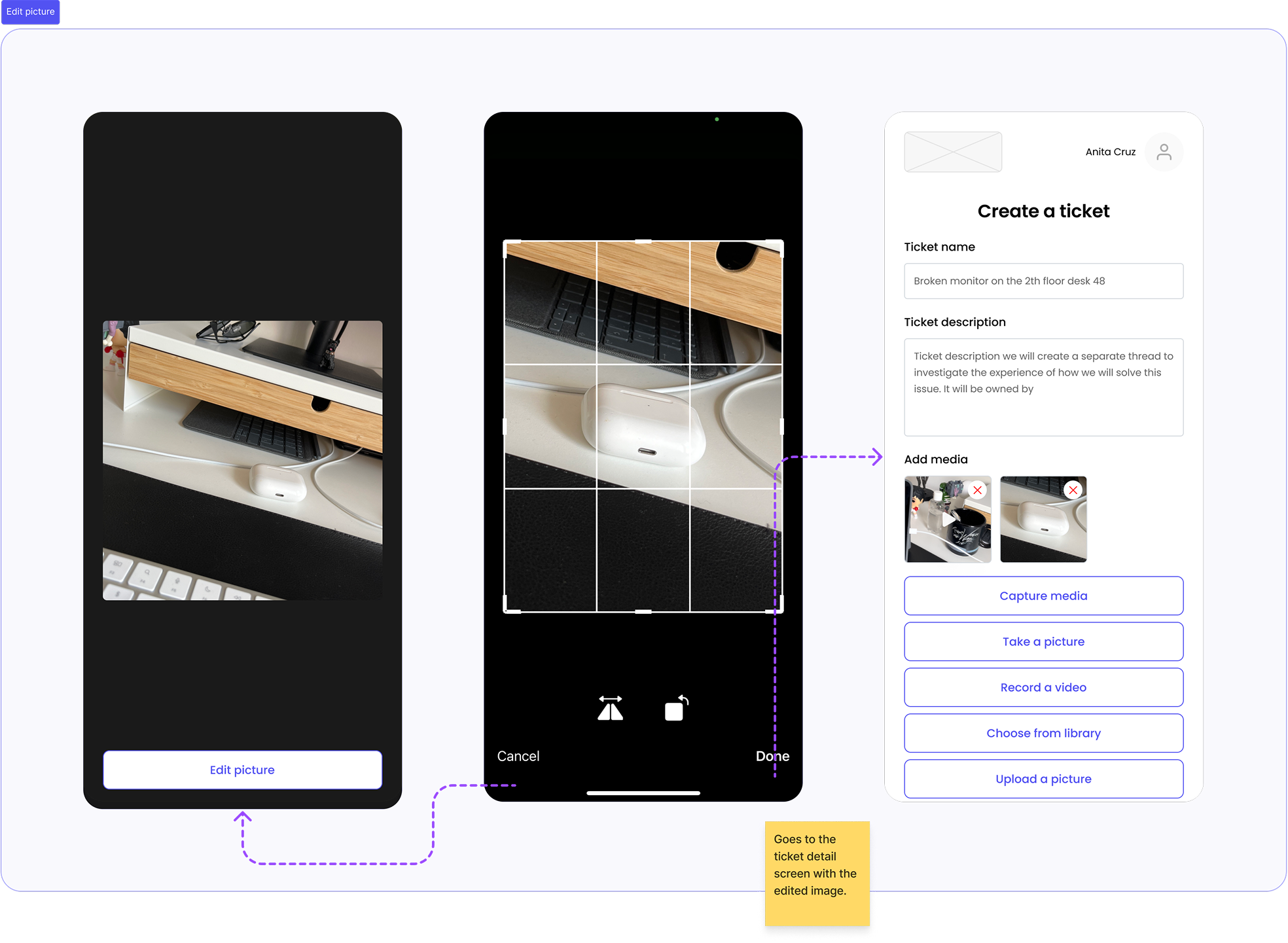
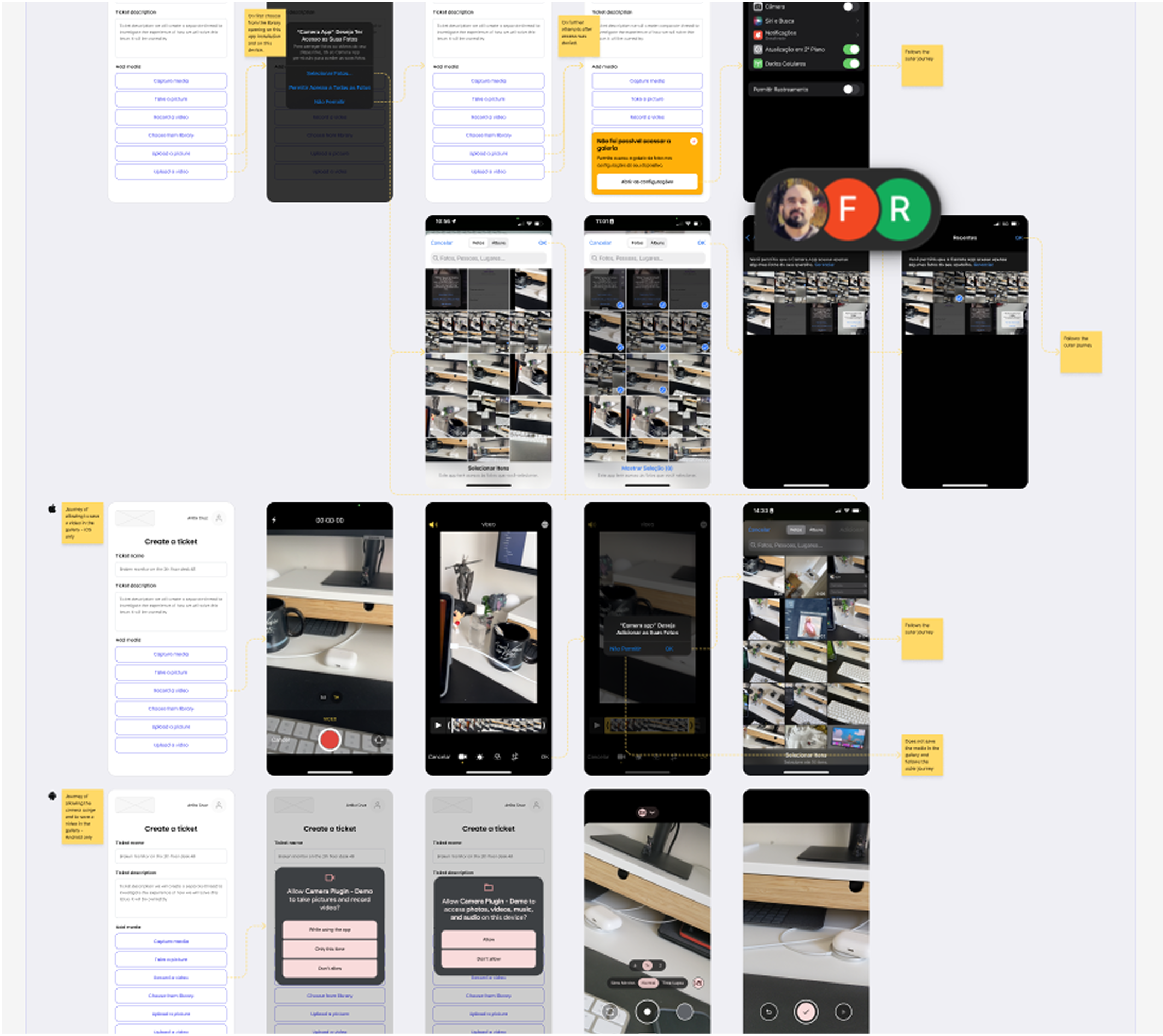
I started by mapping all plugin use cases against the natural moments in a support ticket workflow:
The result was a user flow where every plugin capability had a reason to exist — not because I forced it in, but because the scenario genuinely called for it. That distinction matters for a sample app. If developers sense the use case is artificial, the demonstration loses credibility.
Sketching and structure
With the flow validated against both the plugin's feature surface and the scenario's logic, I moved into sketching. The goal at this stage was to establish the journey architecture — how many screens, what decisions the user makes at each step, where the camera interactions surface — before applying any visual treatment.
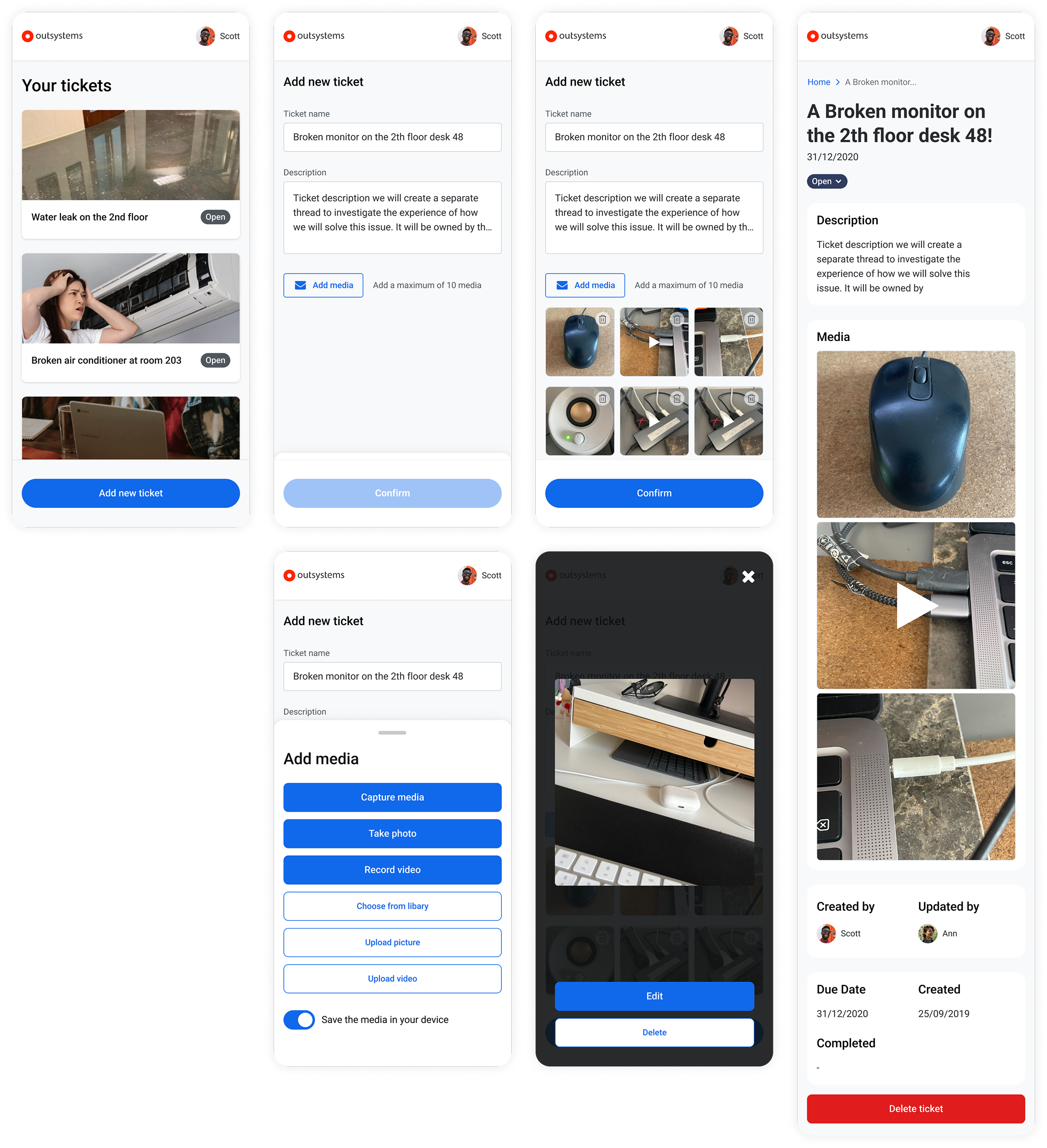
Once the skeleton was solid and aligned with engineering on feasibility, I applied the OutSystems UI kit. For a sample app, this was the right call: the UI kit is designed precisely for this kind of showcase, and using it meant the visual layer communicated something important — that the app looks like what developers expect OutSystems output to look like. The sample app had to be aspirational but not foreign.
Rollout
What 96.98% actually means
A year after shipping, the new Camera plugin version reached a 96.98% adoption rate across OutSystems mobile applications — measured directly from plugin telemetry.
That number needs context to land properly.
The Forge is an open marketplace. Developers choose what they install. They can pick the official plugin, an unofficial alternative, or build their own implementation. An adoption rate approaching 97% doesn't happen because a plugin is available — it happens because developers actively choose it, repeatedly, across hundreds of different applications built by different teams in different organizations.
For a plugin that was losing ground to unofficial alternatives when this project started, that number signals something beyond quality. It signals that the gap was closed. Developers who might have reached for a workaround didn't need one anymore.
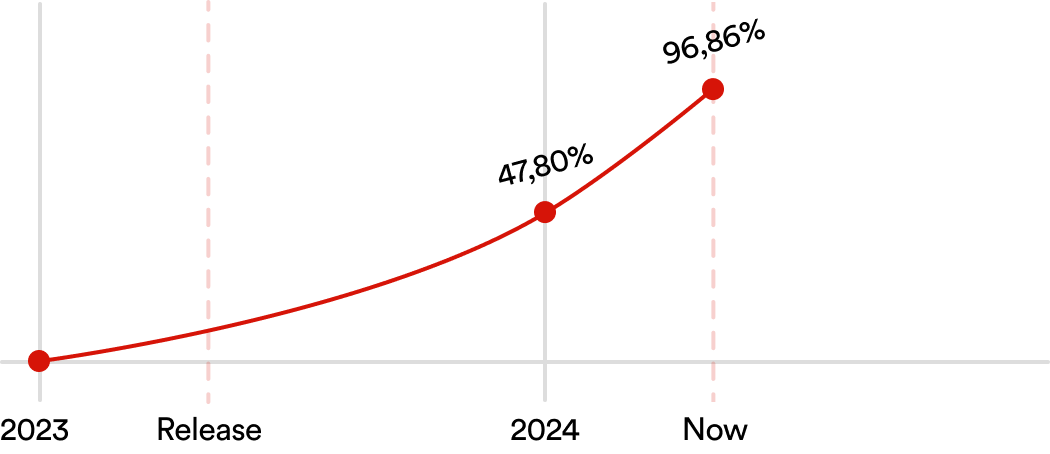
The sample app contributed to this in a way that's harder to quantify but worth naming. Developer adoption of platform capabilities often stalls not because the capability is weak, but because the path from "this exists" to "I know how to use this in my specific context" isn't clear. The sample app made that path explicit — a complete, real-world implementation that developers could reference, adapt, and build from. It lowered the activation cost of using the plugin correctly.
What I'd measure next
If I had continued on the project, the metric I would have pursued next is implementation quality — not just whether developers installed the plugin, but whether they were using the full capability set, including video, or defaulting back to photo-only flows. High adoption with low video utilization would have signaled that the sample app wasn't doing enough work, and that documentation or onboarding needed reinforcement. Adoption rate tells you the plugin won. Implementation distribution tells you whether it won completely.
Documentation and official release