A scalable settings system for OutSystems apps
OutSystems
2025
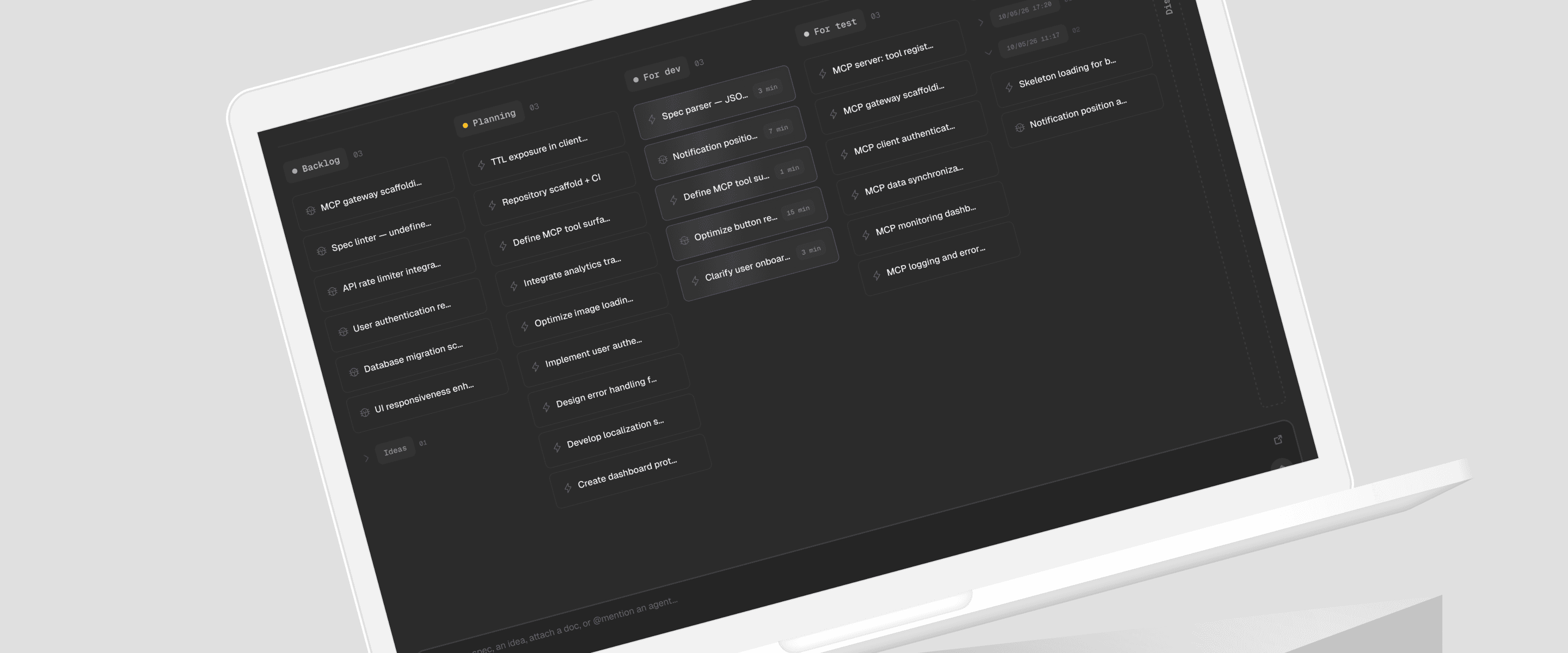

Spectro is a project management tool built for a new kind of developer, one who ships software alone, powered by AI. This case is about designing its interface from the ground up: the visual language, the components, the interactions, and the decisions behind each one.
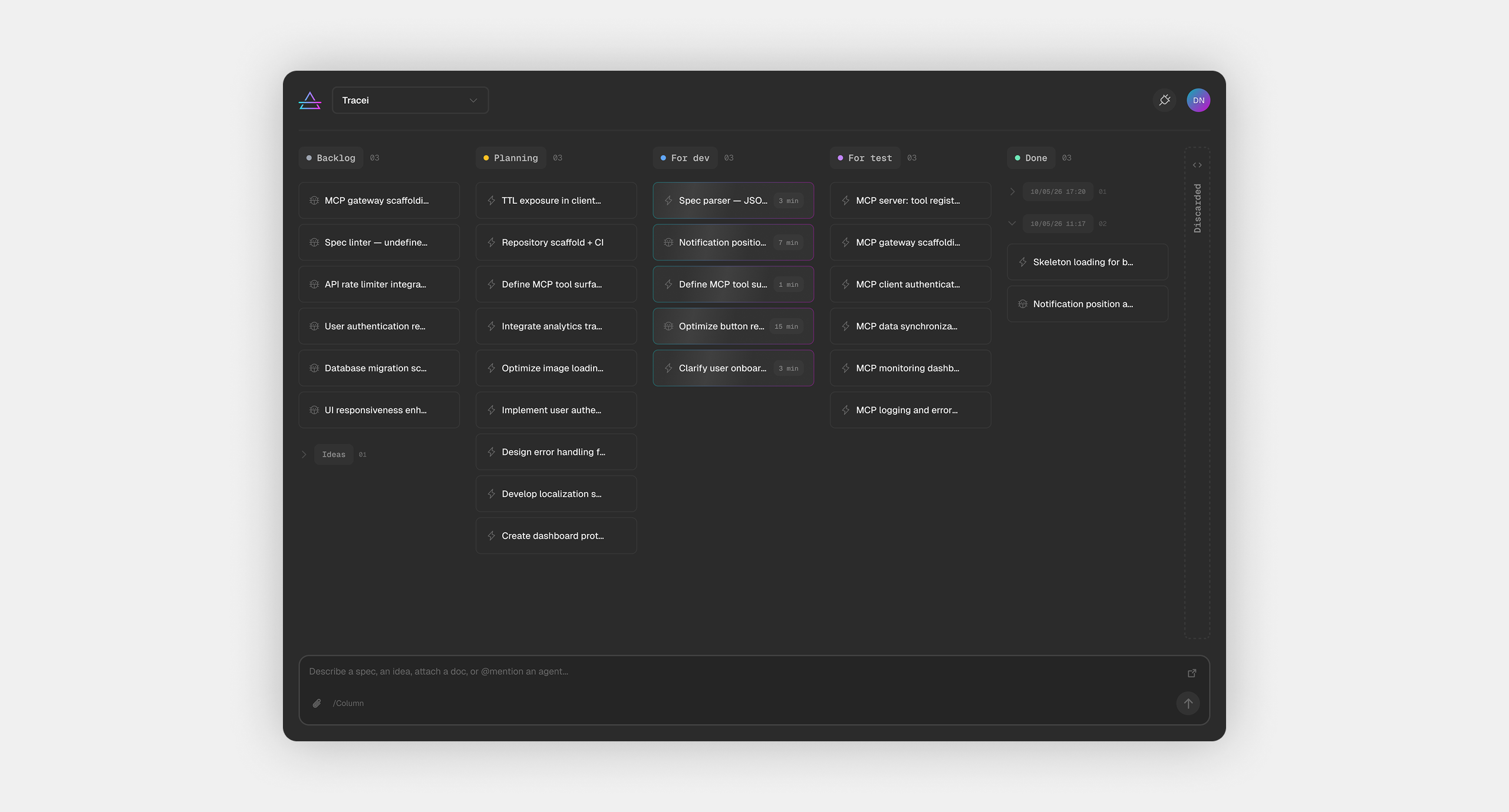
AI-assisted development didn't just change how software gets built, it changed who builds it. A new profile emerged: the product builder. Someone who can take an idea from zero to deployed software, alone, using AI as the development engine. No team. No handoffs. Just a backlog, an AI IDE, and the ability to ship.
The problem with that model is volume. Product builders don't run one project, they run several. Ideas arrive faster than they can be developed. Tasks need to be captured, refined, prioritized, and handed off to the AI in a format it can actually execute on. The tools that exist weren't built for this. Project management software assumes teams. Note-taking apps don't connect to AI IDEs and don't refine raw ideas into detailed specs. The gap between "I have an idea" and "my AI agent has a clear spec to work from" is filled with friction.
Spectro was designed to close that gap, by making capture, pipeline, and connection feel like one thing.
Ideas arrive at any moment, mid-conversation with an AI agent, between projects, before context is fully formed. The interface had to accept raw, unstructured input and do the work of turning it into something structured. That meant no forms, no required fields, no friction at the point of capture. The only way to add anything to Spectro is through the Spec Agent, a natural language field that takes whatever you give it and refracts it into a full development spec: title, description, expected behavior, rationale, acceptance criteria. Raw input in. Structured spec out. The name says it all: Spectro is the prism.

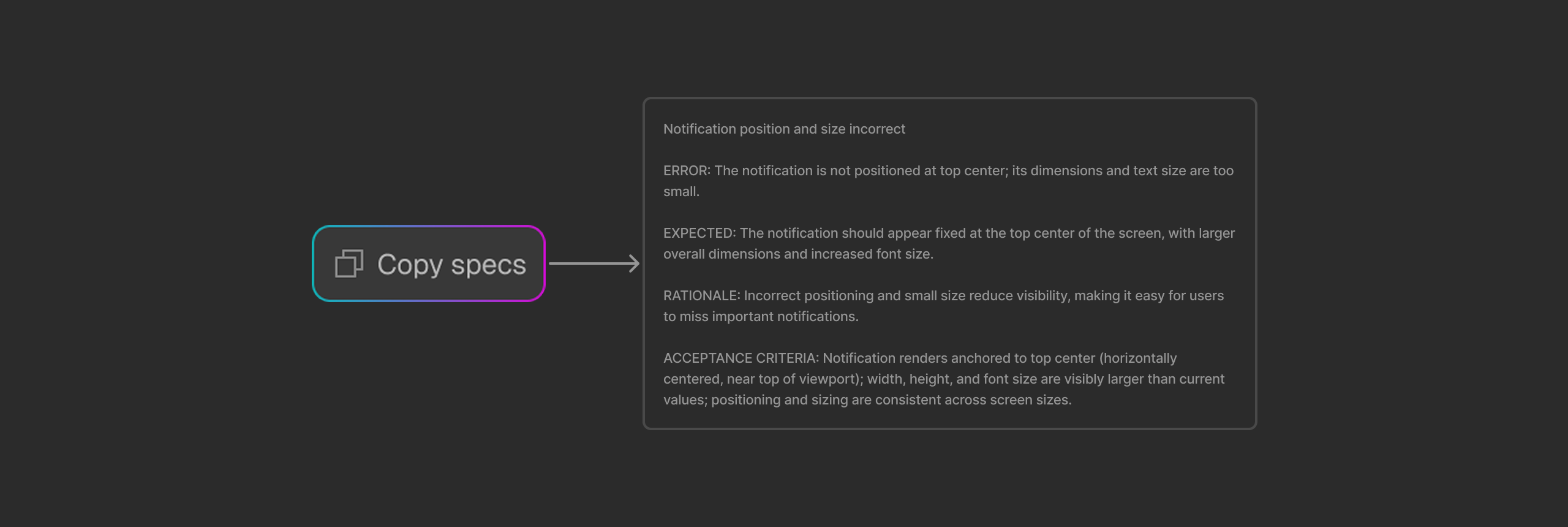
Once an item exists, it needs to move. From idea to planning to development to testing to done, with the AI IDE picking it up at the right moment and signaling progress back. The kanban board isn't decoration; it's the shared state between the builder and the AI. Each column is a contract. And for moments when the builder needs direct access to a spec, to paste it manually, share it, or review it outside the tool, every card exposes a Copy Specs action that packages the full structured output into a single, ready-to-use prompt.
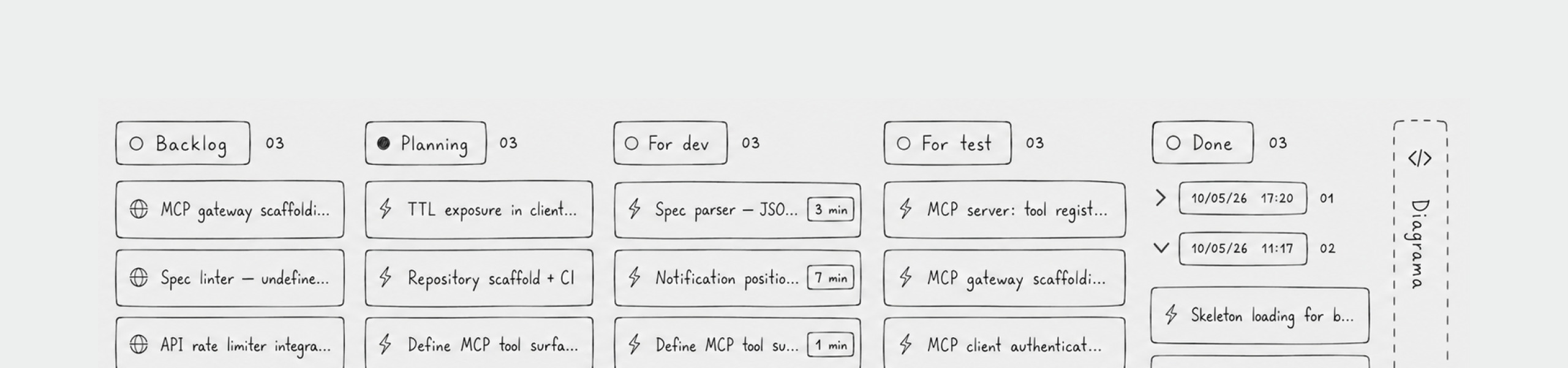
The AI IDE needs to read Spectro's data directly, without copy-pasting specs into prompts. That's what the MCP integration handles. It exposes the board via a server the IDE connects to, so the agent can fetch ready items, implement them, and update their status in the pipeline autonomously.

Spectro lives in the same environment as the tools it connects to, Cursor, Claude Code, Windsurf. Terminals, IDEs, dark interfaces built for focus. The visual language had to feel native to that context without mimicking it. Developer-adjacent, not developer-cosplay.
The entire color system is built on semantic tokens. Background layers follow an elevation model, bg-base, bg-raised, bg-elevated, bg-overlay, creating depth through subtle value shifts rather than hard borders. Foreground tokens follow the same logic: fg-primary for content that demands attention, fg-secondary and fg-tertiary for supporting information, fg-muted and fg-disabled for elements that should recede. Every color decision in the interface maps to one of these tokens. Nothing is hardcoded.
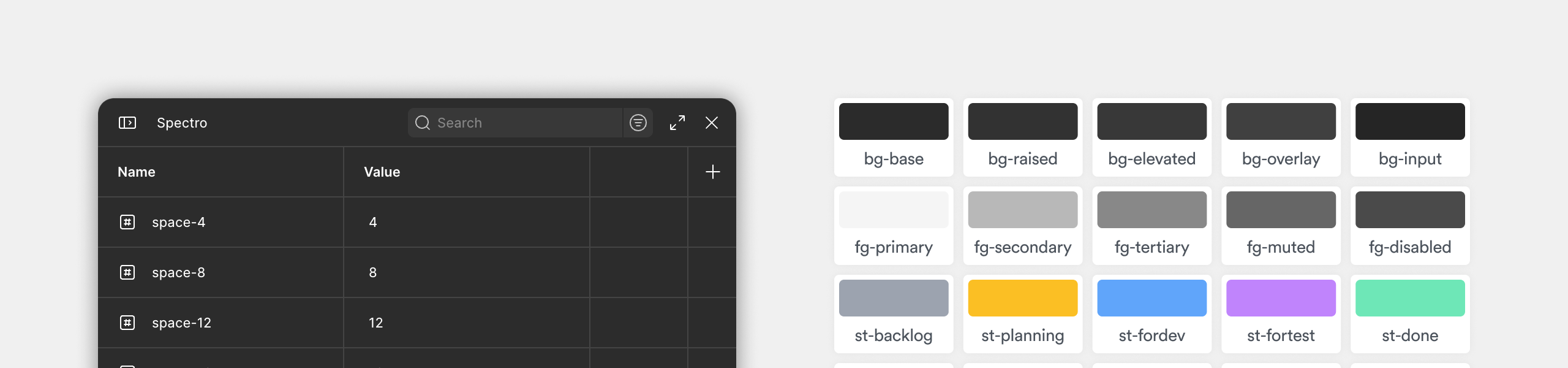
The five status colors are the only place where Spectro introduces chromatic contrast. Each pipeline stage has its own color, a muted blue-grey for Backlog, amber for Planning, blue for For Dev, purple for For Test, green for Done. These aren't decorative labels. They're the primary navigation system of the board, readable at a glance across five columns without needing to read a single word.

Typography follows a two-family system. Geist handles all interface text, built for technical interfaces and reads cleanly at small sizes under high information density. Geist Mono appears wherever content carries structural or technical weight: column headers on the board, section titles in Settings, and the detail panel, particularly the Acceptance Criteria blocks. The switch is intentional: mono signals that this content has a different nature. It's a spec, not a description. It's meant to be read precisely, possibly executed programmatically. The typographic shift makes that distinction without a label.

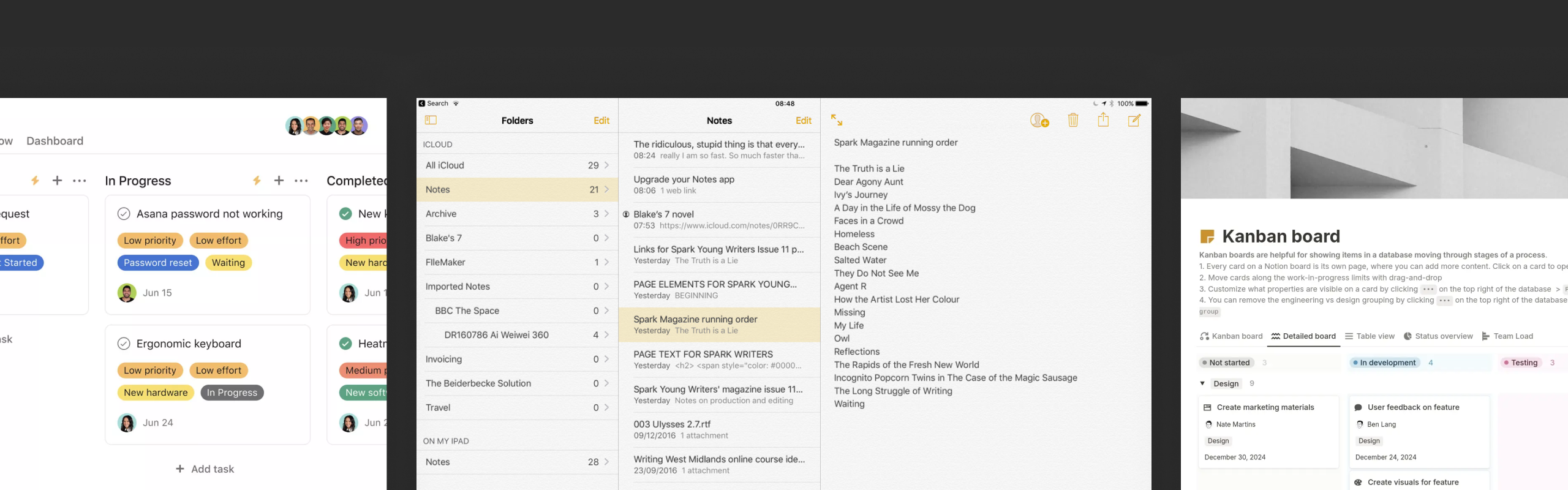
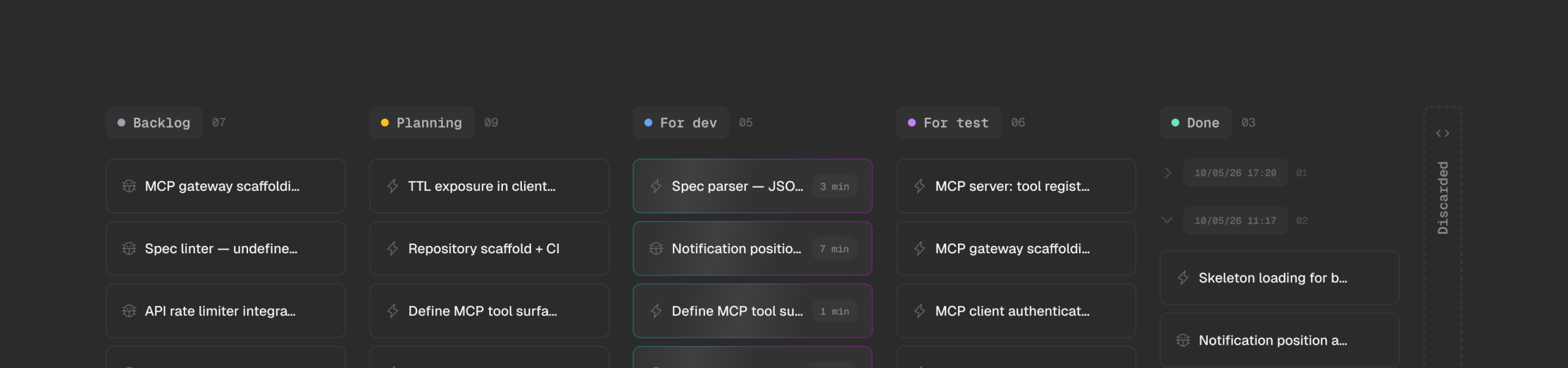
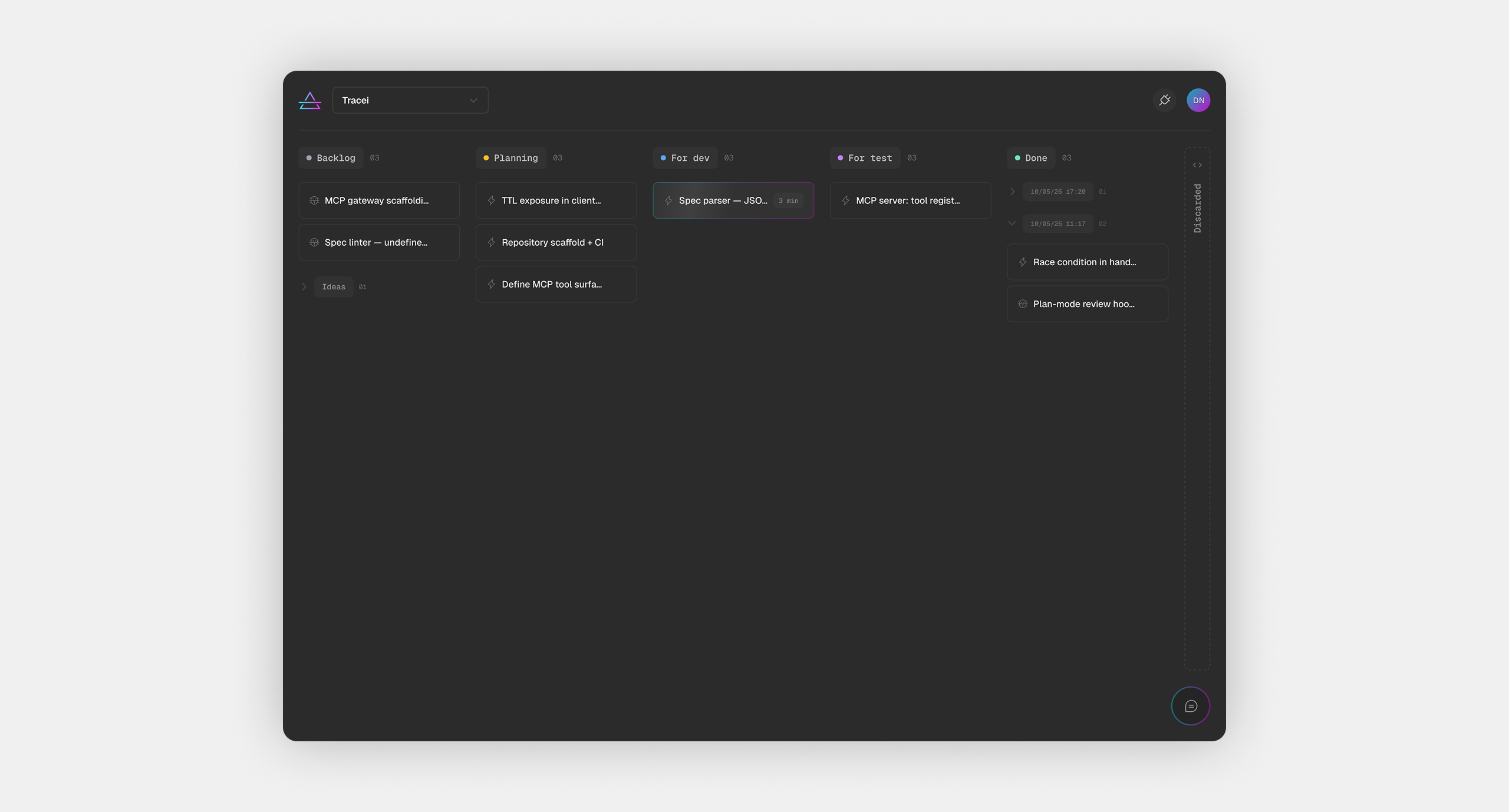
The board is the home screen and the control center. A typical session might have two or three projects open across different stages, one with items ready for the AI, another with specs still being refined, another with items waiting for test. Everything starts and ends here, items enter through the Spec Agent at the bottom, move across columns as they progress through the pipeline, and get picked up by the AI IDE when they reach For Dev. The layout had to make that flow legible at a glance.
Each column maps to one stage of the pipeline. The header carries the column name in Geist Mono and a live count of items, giving the builder an immediate read on where work is concentrated without opening anything. Empty columns show a quiet "No card here yet" state rather than disappearing, preserving the spatial structure of the pipeline even when stages are clear.
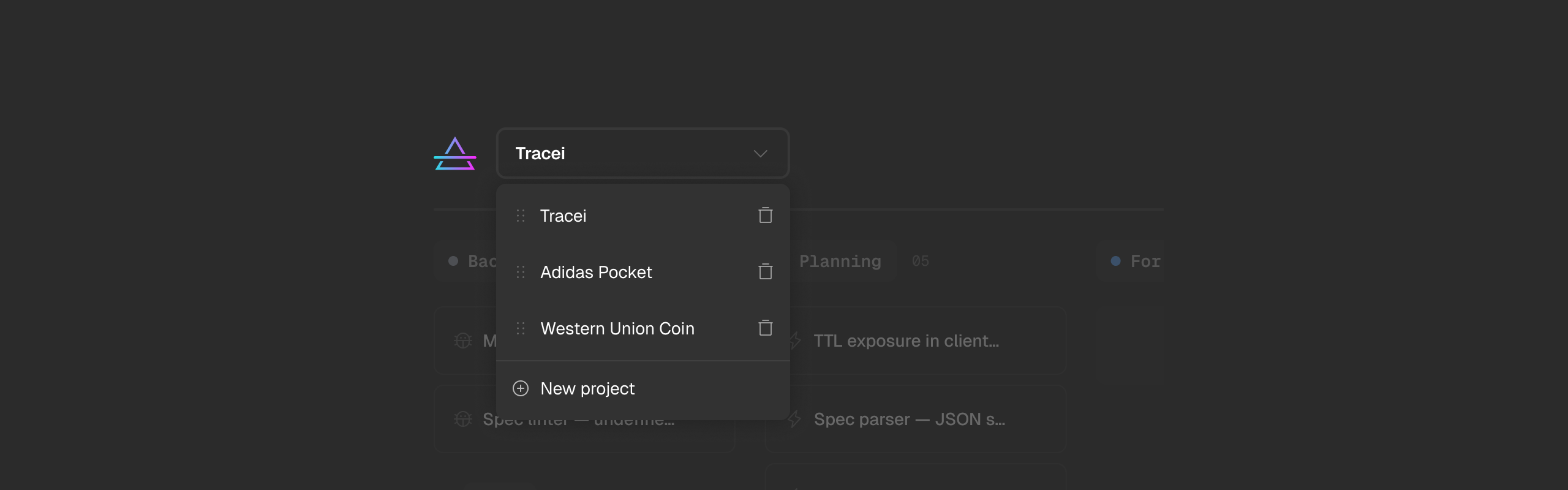
The project selector in the header handles all project management without a dedicated settings page. Switching projects, reordering, renaming, creating, deleting, everything lives in that dropdown. It keeps the board focused on work and avoids the overhead of a separate project management layer.
The card is the atomic unit of Spectro. Everything the builder creates, tracks, and ships passes through it. Designing its states meant accounting for every moment in a card's lifecycle, from the second it's created to when it's done, discarded, or stuck.
In its default state, a card shows the item title, its type icon, and nothing else. No status label, no assignee, no date. The column it lives in is the status. The pipeline position carries that information, so the card itself stays clean.
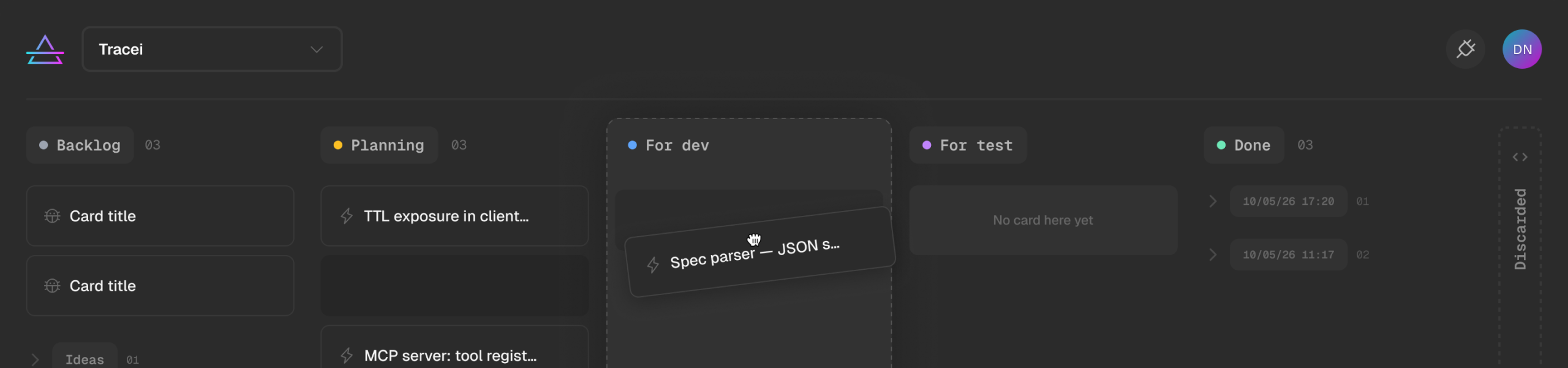
When a card is picked up by the AI IDE via MCP, it enters the in-progress state. The content receives a slow illumination animation and the border switches to an AI gradient. The builder knows, without checking the IDE, that this item is actively being worked on.
When the AI returns an error, the card shifts to red. Border, background, the whole thing. No explanation on the card itself, just a clear signal that something needs attention. The card moves back to Planning automatically, giving the builder space to review what went wrong before sending it to For Dev again. The details live inside the panel.
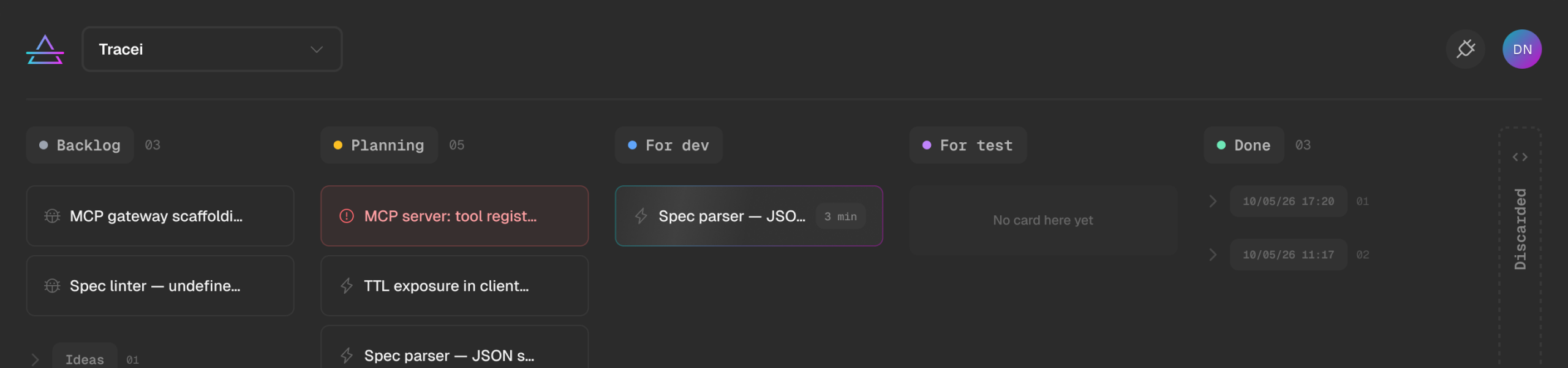
The timer state appears when the AI IDE starts working on a card. A small time badge appears, counting from the moment the IDE picked up the item. It's the only piece of metadata that surfaces at card level, a live signal of how long the current execution has been running, visible on the board without opening anything.

Done and Discarded cards render differently from active ones, reduced contrast, muted text. They're still there, still accessible, but they visually recede. The board's attention stays on what needs to move.

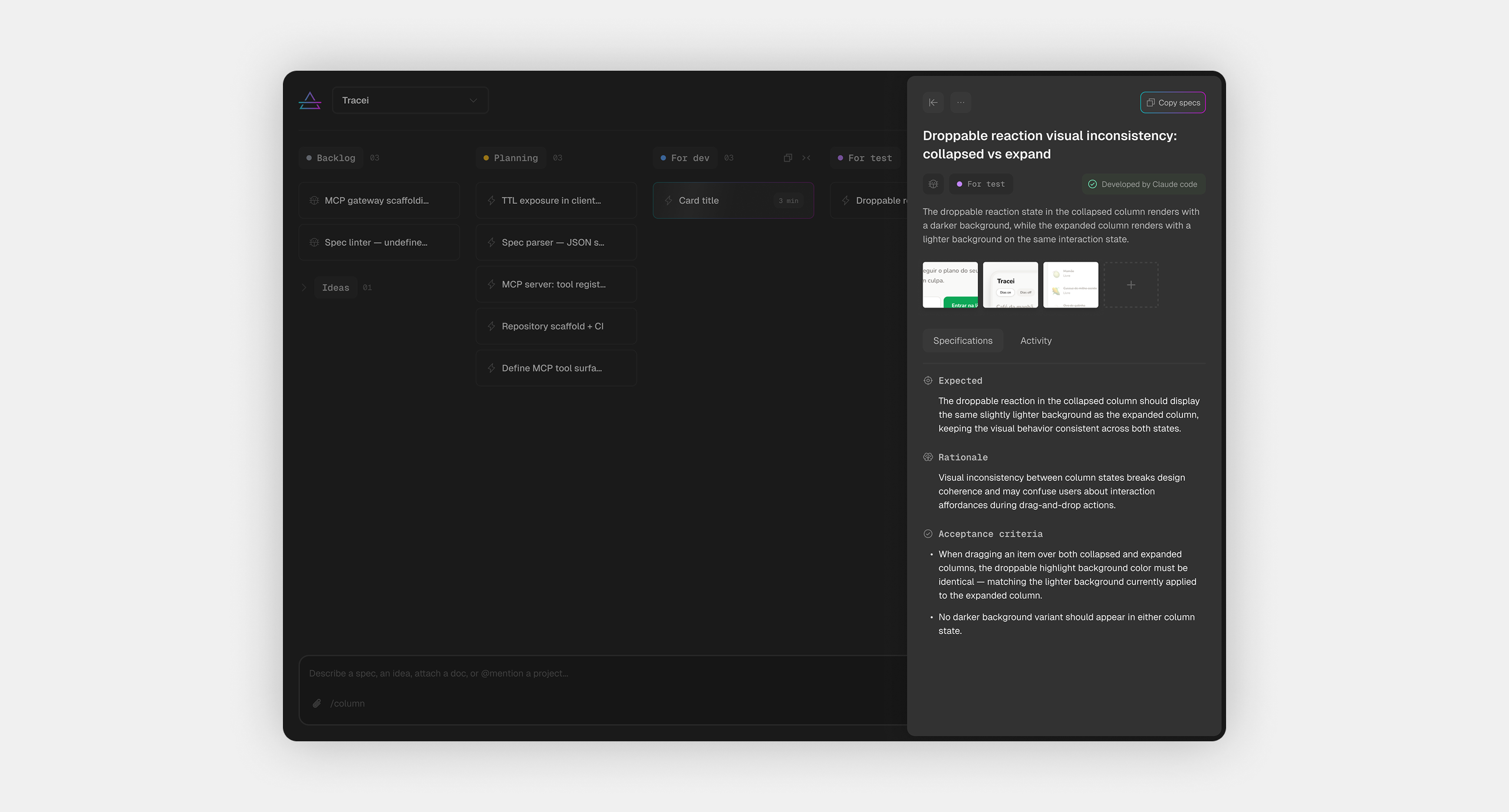
Every card in Spectro contains a full development spec, and it needs a dedicated space to breathe.
The panel opens to the right, fixed, without touching the board. The pipeline stays intact while the builder reads the full spec in context.
Inside, the content is split into two tabs. Specifications holds the structured output of the Spec Agent: Expected, Rationale, and Acceptance Criteria. Activity is the log of everything the AI has done with that card.
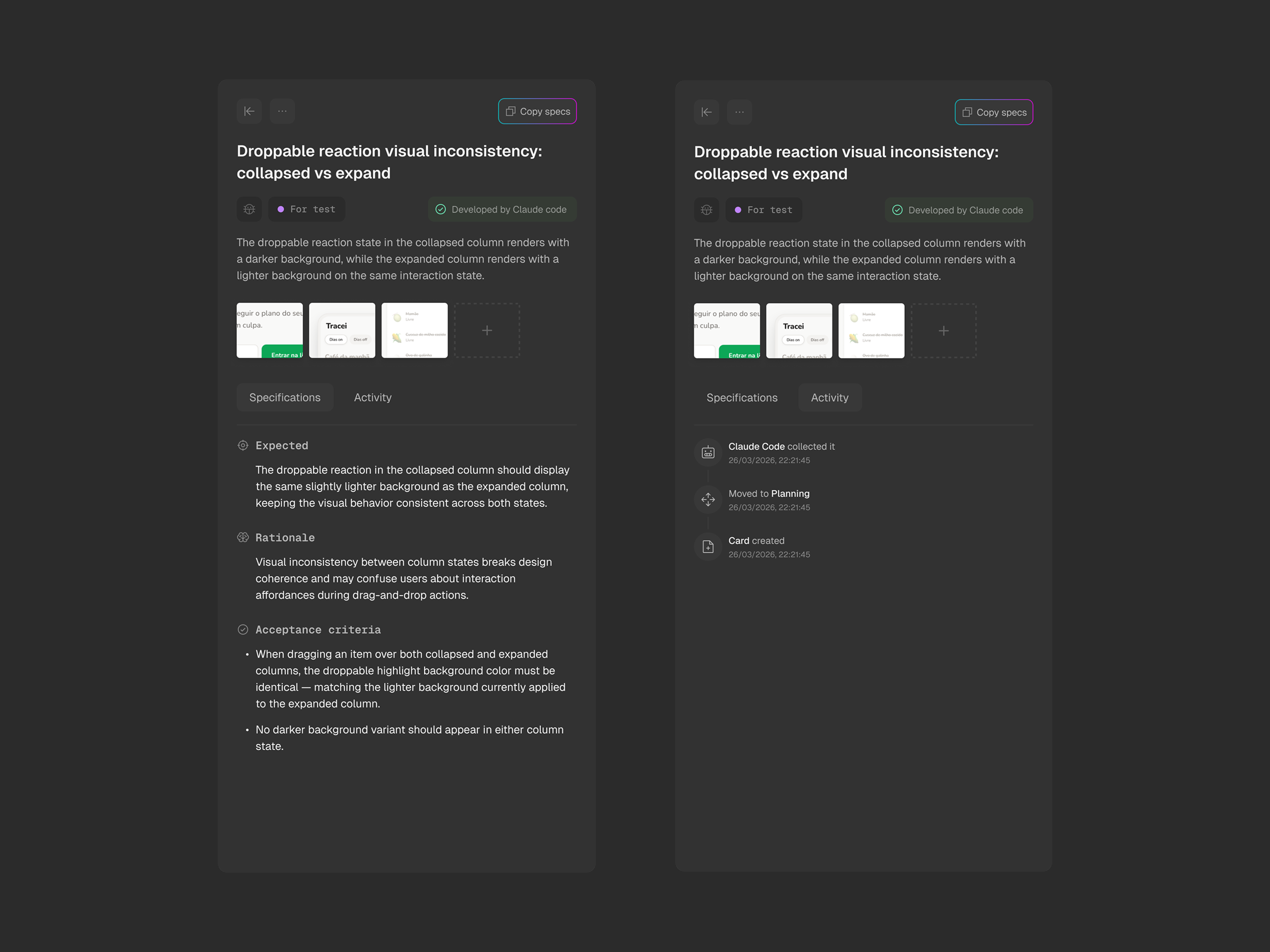
Copy Specs sits in the top right of the panel, always visible. One click packages the full structured content into a ready-to-use prompt. For builders who want to paste directly into an IDE session or share a spec outside the tool, it's always one tap away.
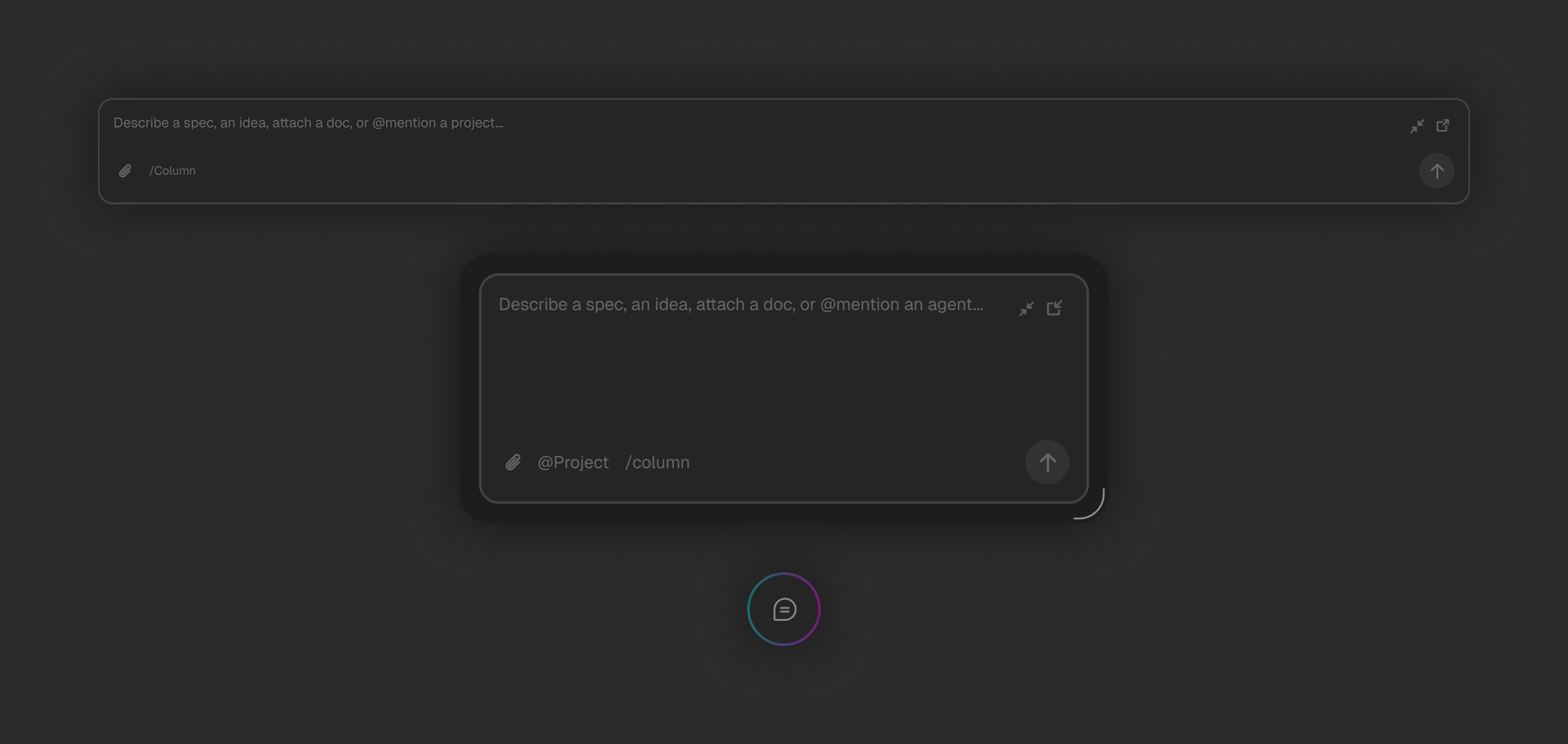
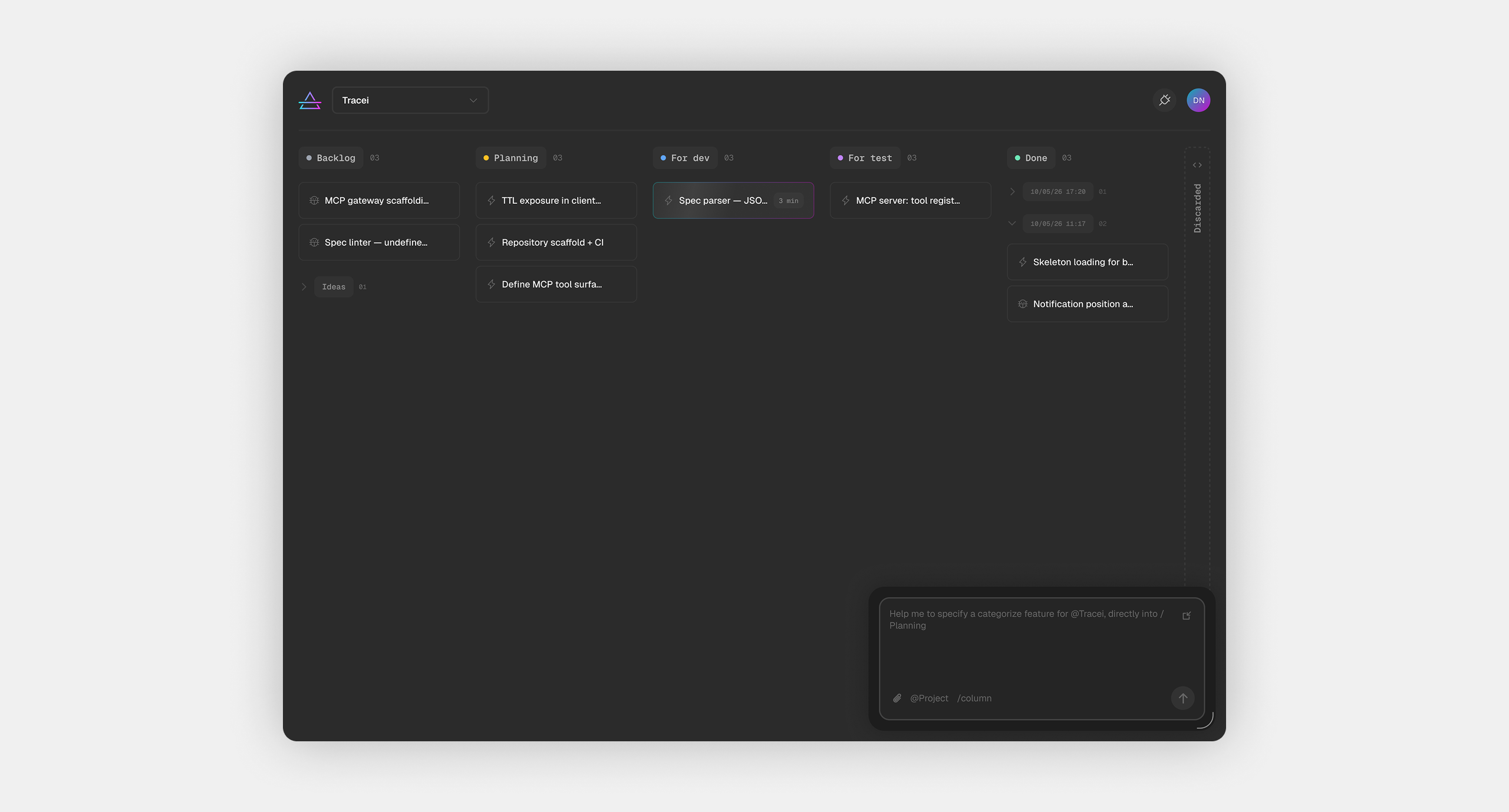
The Spec Agent is the only way to add anything to Spectro. There are no forms, no quick-add fields, no right-click menus. Every item, whether it's a rough idea, a detailed spec, or a bug report, enters the system through the same interface: a natural language input at the bottom of the board.
That's a deliberate constraint. Forms fragment the capture experience. They demand structure before the builder is ready to provide it. The Spec Agent inverts that: the builder describes what they want in whatever form it arrives, and Spectro does the work of structuring it into a full development spec. Raw input in. Prism refracts. Structured spec out.

The agent supports slash commands for routing, /column lets the builder specify where the item should land in the pipeline without leaving the input. The @ symbol links the item to a specific project; without it, the item goes to the current project by default. These shortcuts keep the input surface flexible without adding UI complexity around it.

By default the agent sits docked at the bottom of the board, always visible and always accessible. When the board is dense and the builder needs to see items in different areas of the screen, the agent can be undocked and moved freely. It becomes a floating panel, resizable, positioned wherever it's out of the way. The minimized state reduces it to a small persistent trigger at the bottom right, removing it from view entirely without dismissing it.
Three states, one principle: the agent should never block the work it's meant to support.
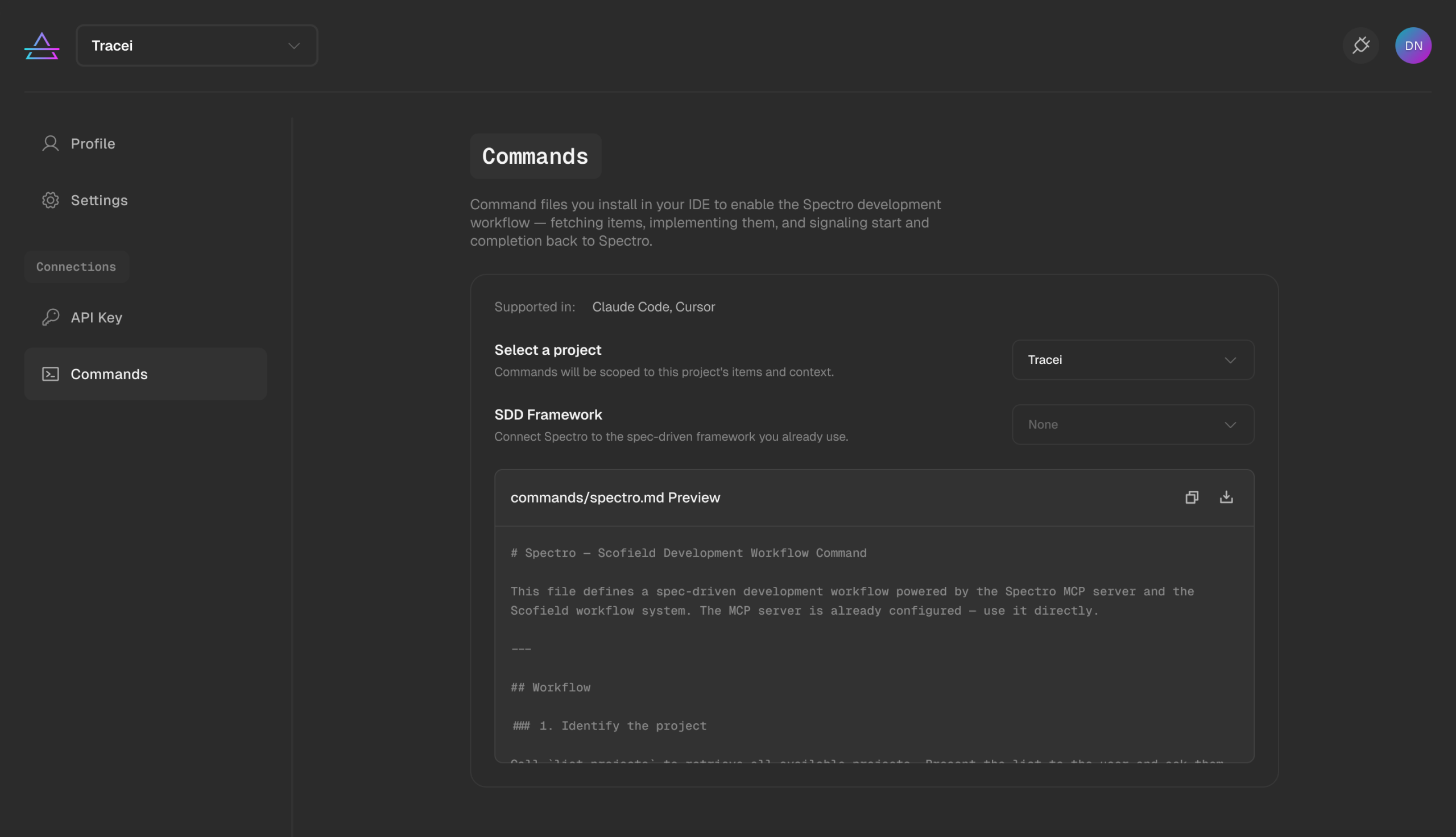
Settings in Spectro are split into four sections, each with a clear scope. The navigation sits on the left, persistent, with the content area to the right, a standard pattern applied consistently enough that it never requires explanation.
Profile handles identity: name, email, password, and avatar. Simple and functional, with a Delete account action placed at the bottom left, visually separated from Save profile on the opposite side. Destructive and confirmatory actions never compete for proximity.
Settings handles board behavior, the housekeeping rules that run server-side across every project. Automatic deletion thresholds for Done and Discarded columns are configured here. Two toggles, two time inputs, one save action. Nothing more than what's needed.
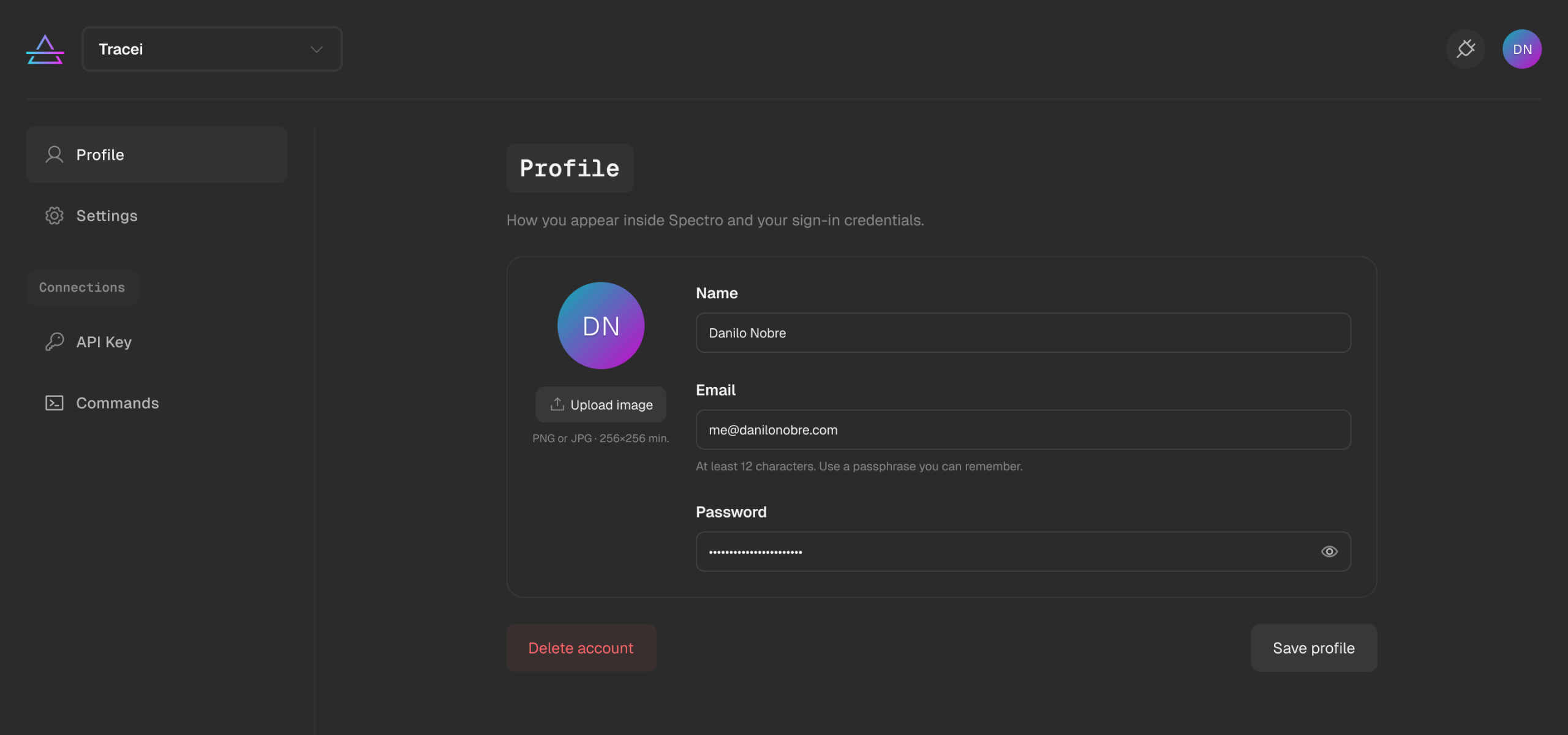
API Key is where Spectro connects to the outside world. The builder generates a key here and uses it to authenticate their AI IDE via MCP. The section surfaces the configuration snippet directly, formatted and ready to copy for both Claude Code and Cursor, so the builder never has to leave Spectro to figure out how to connect their tools.
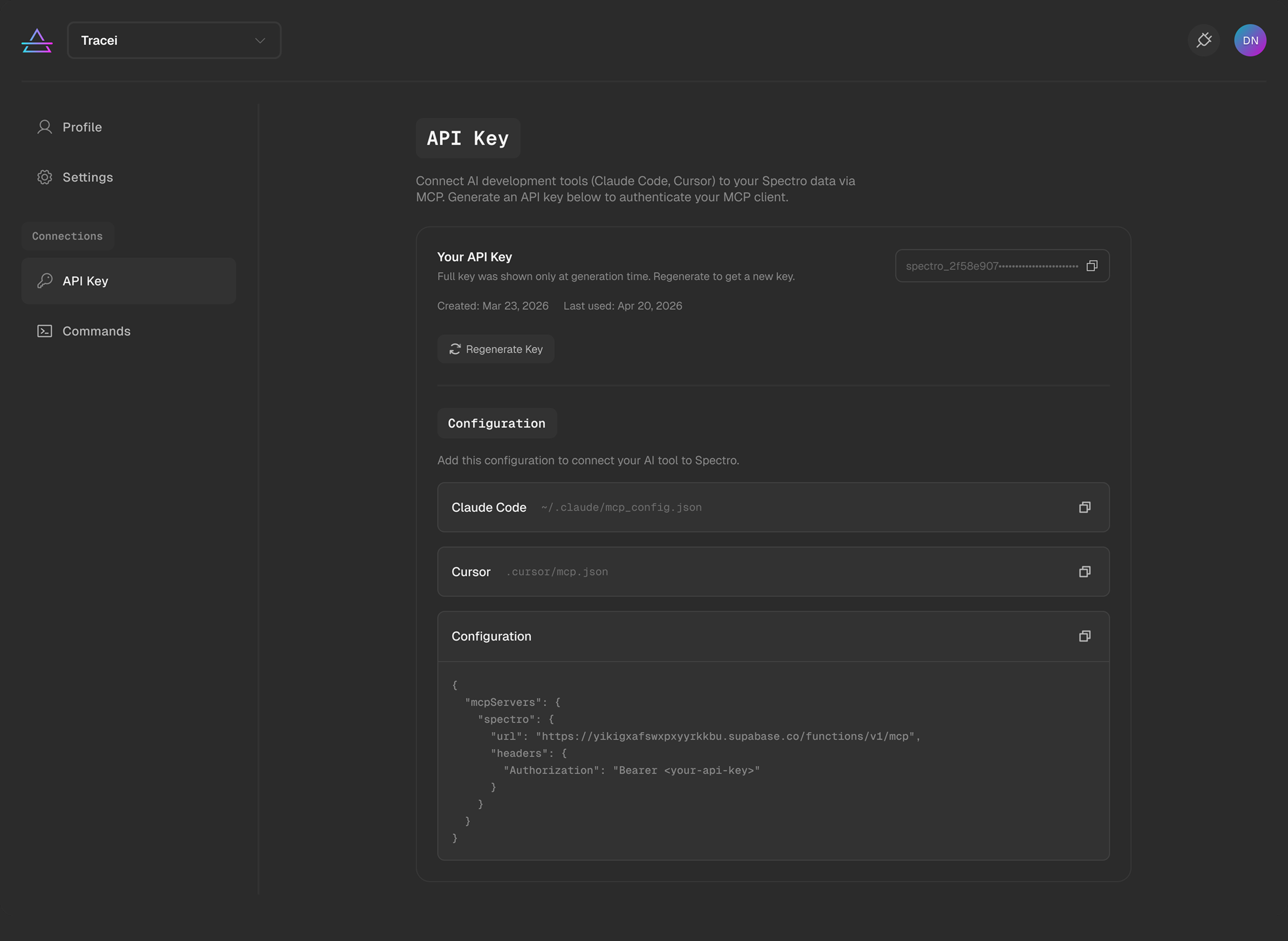
Commands is the deepest layer of the integration. It's where the builder installs the command files that define the Spectro development workflow inside their IDE, and where they connect their SDD framework to the pipeline. The section is technical by nature, but the UI keeps it approachable, a project selector, a framework connector, and a preview of the command file before installation.
Spectro works. It's part of an active development workflow, used daily across multiple projects. But two questions remain open.
The first is about the agent-only input. Removing forms entirely is a deliberate constraint, but it's one that needs validation beyond a single user. Whether the Spec Agent feels intuitive to someone who has never used Spectro before is a question the current version hasn't answered yet.
The second is about density. As projects grow and pipelines fill up, the board can get crowded fast. The current layout handles moderate density well, but the experience at scale, with dozens of cards across five columns, will likely demand UI adjustments that aren't visible yet at the current usage level.
Both are the next things to test.
Three features would meaningfully expand what Spectro can do: task prioritization, so the pipeline has weight and not just order; card categorization, so items can be grouped and filtered by type across the board; note app integration, bringing inputs from Apple Notes, Notion, and similar tools directly into the pipeline; collaboration, so the tool works for small teams without losing the simplicity that makes it work for one person; and multi-agent support, where specialized agents handle different stages of the pipeline simultaneously. The board already maps to that structure. The work is in the infrastructure.