Spectro, a project management tool for solo product builders working with AI.
Spectro
Mar - May 2026
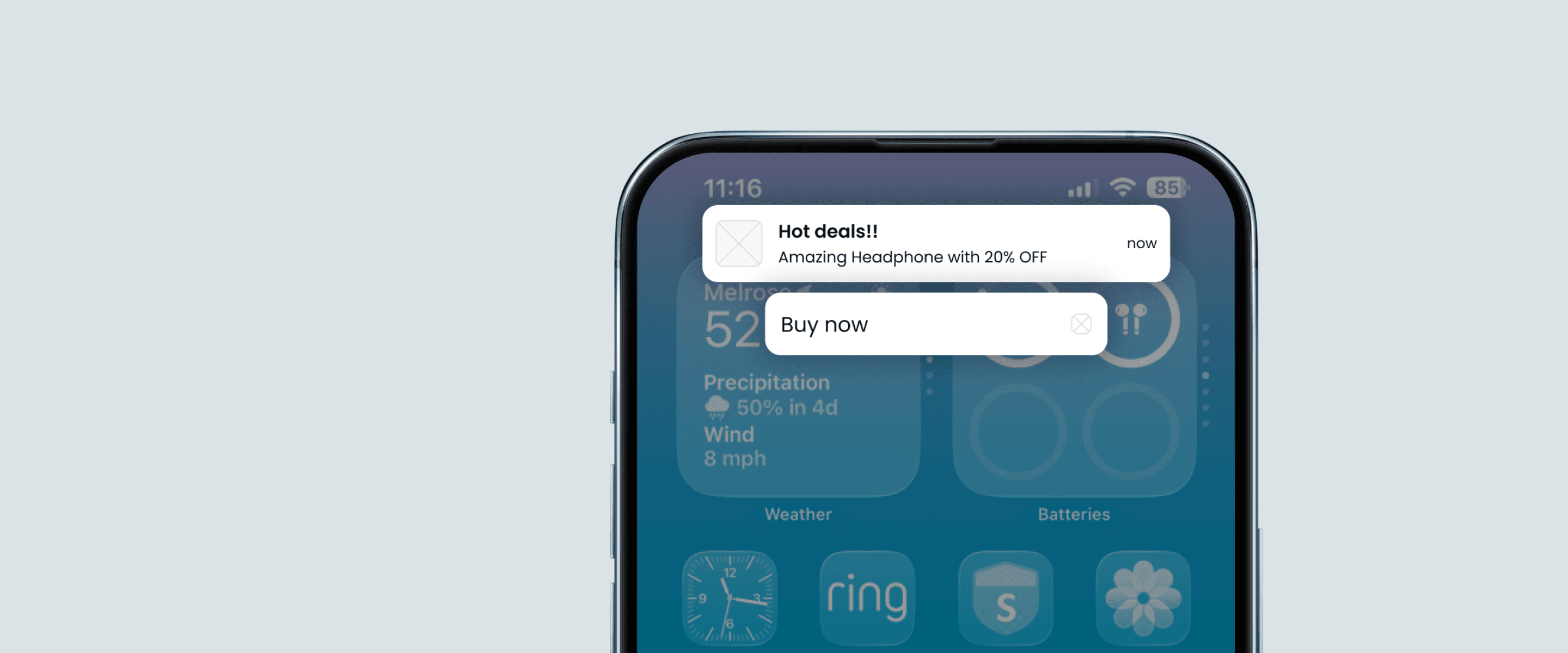

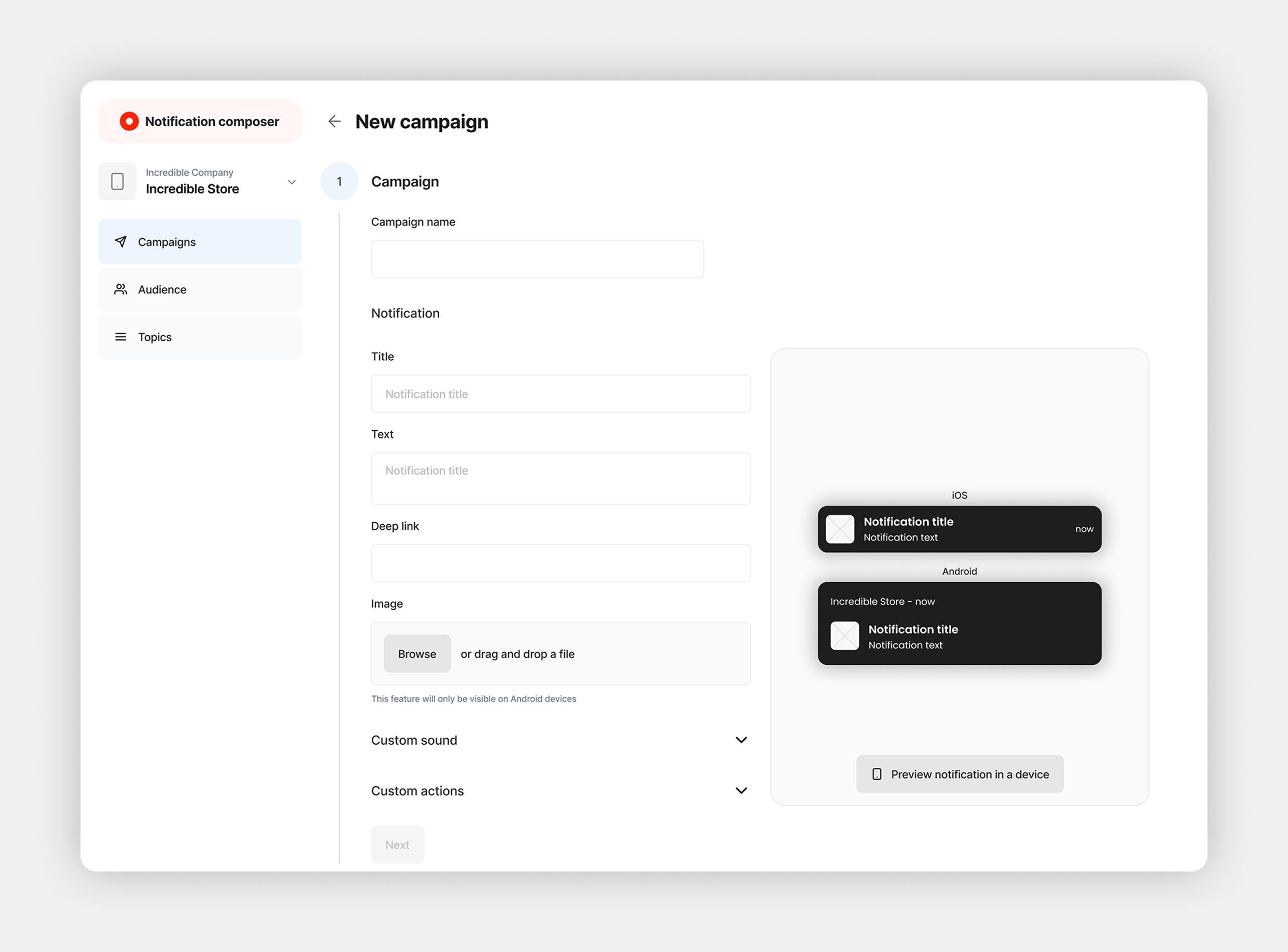
Push Notification Composer is an OutSystems plugin that lets marketing teams craft, segment, and schedule push notifications on their own, without engineering involvement after the initial setup. This case is about leading the initiative from research to handoff: the reframing that redefined the product, the architectural decisions behind it, and the validation that confirmed the bet.
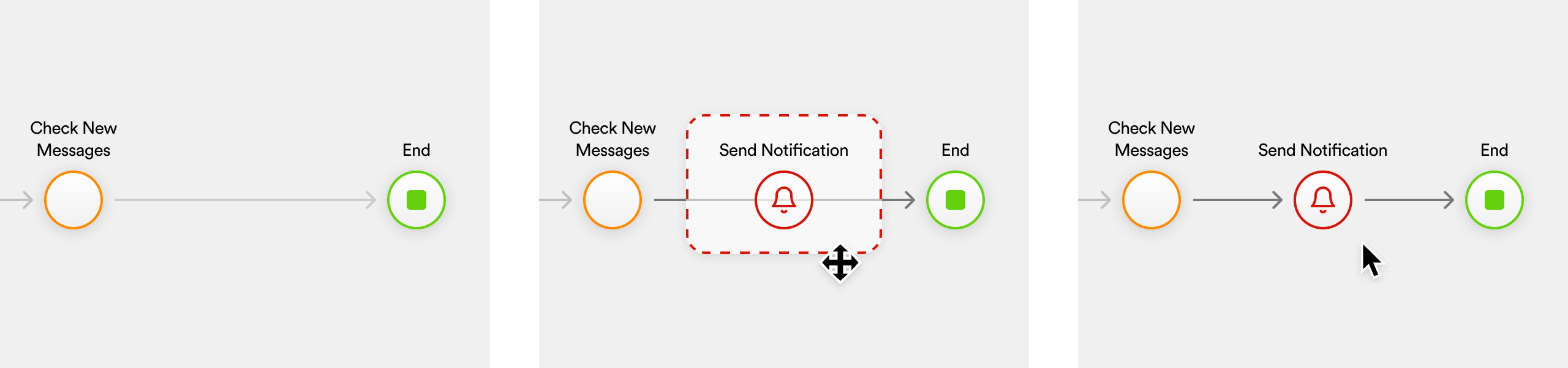
OutSystems is a low-code development platform where developers build app logic through visual flows, sequences of actions chained together to define what the app does at each step. Sending a push notification meant a developer had to manually drop a "Send Notification" action into one of those flows, wire up the Firebase integration themselves, define the target audience in code, and repeat the whole thing for every new use case.
That was the known shape of the feature. What we didn't know yet was who we were actually solving it for.
Push notifications came up on the product team's roadmap as the next thing to evolve. The PM had a specific direction in mind, a feature he wanted to build, but there was no customer request behind it, no documented need, no signal from the field. He wasn't fully convinced of it either.
I proposed a different starting point. Before committing to any direction, including the PM's, run a research phase to find out what the actual problem was. The feature on the table could turn out to be the right call. It could also turn out to be something else. Either way, we'd be building on evidence instead of intuition.
I started with data analysis on our mobile solutions usage to identify customers with high push notification volumes, the ones who had pushed the solution furthest and would have the most to say about its limits. From there, I worked with the respective account managers to get introductions to the developers responsible for those implementations.
The goal was six OutSystems mobile developers with real push notification expertise, split deliberately: three using our native solution, three who had gone a different route, built their own composer or used alternatives available in the OutSystems ecosystem. The split was intentional. I wanted to understand not just what our solution was missing, but whether the problem was worth solving at all from a competitive standpoint.
The interviews didn't confirm anything we were expecting. Developers weren't asking for new features. What they brought up, almost universally, was a use case we hadn't mapped at all.
That last number deserves attention. Firebase is the underlying infrastructure for push delivery in the OutSystems ecosystem. Not a single developer was using its native console to send notifications. Firebase was pure backend, a delivery pipe, nothing more. The actual sending interface was always something they built themselves.
The 85% was the one that reframed everything.
I had seen this dynamic before. At Bleez, where I led product for nearly a decade, marketing analysts were among the primary backoffice users, and my team operated at the intersection of product and digital marketing. Non-technical users depending on a technical layer to execute what should be their own operations was the normal state of things.
When I saw it surfacing in the OutSystems research, I recognized it not as a discovery but as a pattern I already knew.
The real friction wasn't the developer's setup experience. It was the dependency. The developer had already solved their own problem, repeatedly, project after project, from scratch. What they kept doing was building a product for someone else, and spending cycles on that instead of building their own.
When I brought this back to the product team and stakeholders, the alignment was immediate. We formally redefined the scope. This wasn't a developer tooling improvement. It was a two-persona product: one that a developer configures once, and a marketing analyst operates independently from that point forward.
That decision changed everything that came after it.
Customers were building their own composers repeatedly because no supported solution existed. A first-party composer, delivered as a plugin, would eliminate that recurring development cost and give marketing teams a tool they could own. One designed for them. Something those custom solutions never had, built as they were by development teams with no UX designer involved.
Firebase has no built-in segmentation. Every customer was patching around this problem in their own way, some hard-coding audience logic, some exporting files, some not segmenting at all. A segmentation layer built into the composer, connected to the OutSystems app data, would give marketing teams the autonomy to reach specific audiences without engineering involvement after the initial setup.
Both opportunities traced directly back to the same root finding: the marketing analyst was the real end user, and they had no tool built for them.
Before drawing a single screen, I needed to map how the Composer would sit inside the existing OutSystems ecosystem. This wasn't an isolated tool. It depended on two external systems to function: the OutSystems app, where the customer's users and business logic live, and the Firebase account, which handles the actual push delivery.
The developer connects both during setup. After that, the marketing analyst operates independently, with no engineering involvement required for day-to-day use. Validating that structure with the tech lead and product team before any UX work started meant every subsequent decision had a foundation that's defensible beyond taste.

I facilitated a series of cross-functional sessions involving UX colleagues, developers, the tech lead, the product owner, and the product manager. The goal was to pressure-test the research direction across technical feasibility, user journeys, and scope, and to surface the trade-offs before committing to anything.
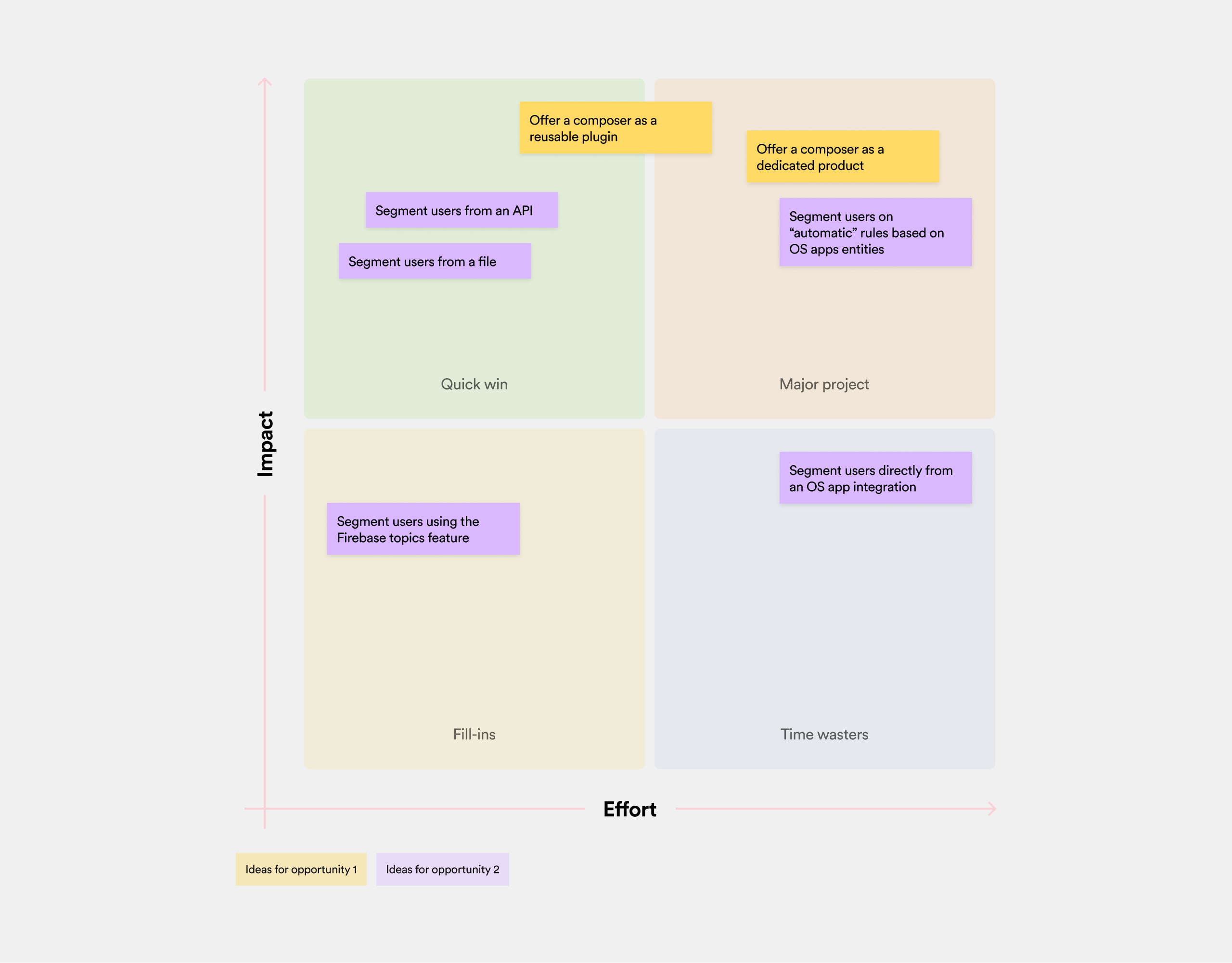
The picture that emerged was unambiguous. The Composer as a reusable plugin landed in Quick win, alongside API and file-based segmentation. Building it as a dedicated product, or layering in automatic rules based on app entities, fell into Major project: high value but locked us into an unvalidated direction at scale. Topics-based segmentation sat in Fill-ins, low impact but easy enough to accommodate the 15% of customers already relying on it.
The asymmetry was visible. The decision was straightforward.

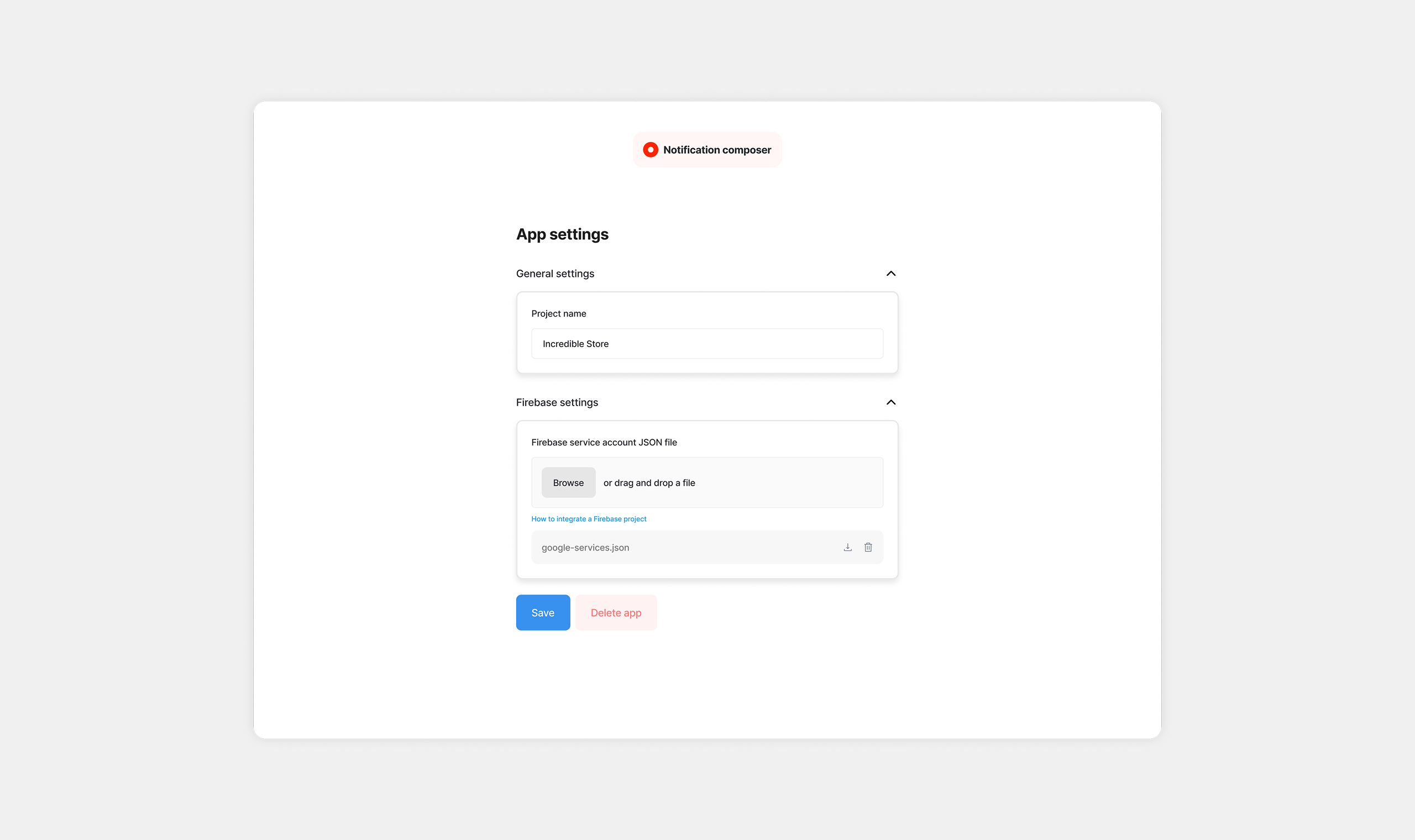
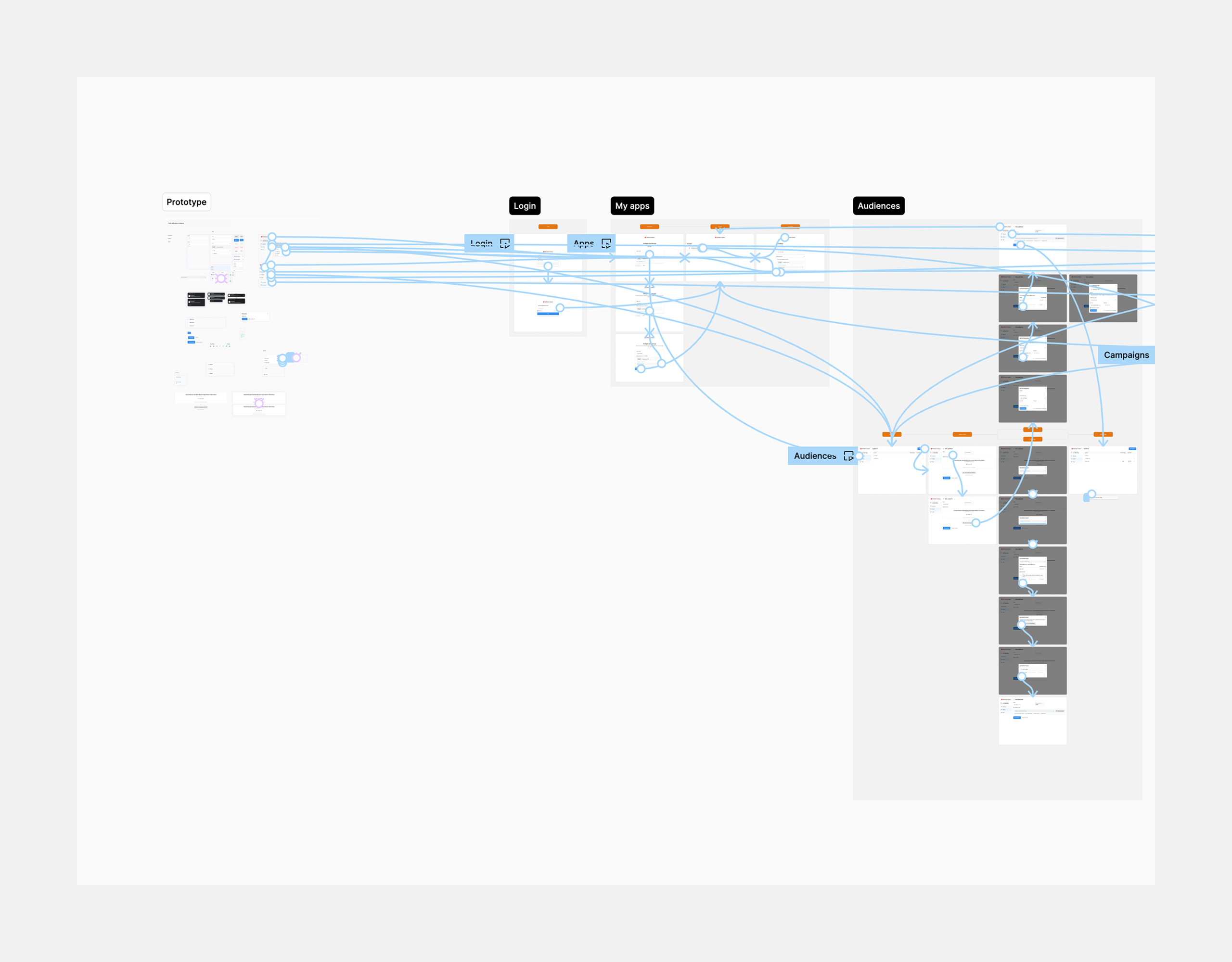
Apps is the entry point and foundational setup layer. Once logged in, a user connects a Firebase account and manages the apps associated with it, each corresponding to a mobile app in production.
Owned by the developer, configured once. After this layer is set, the marketing analyst never needs to touch it again.
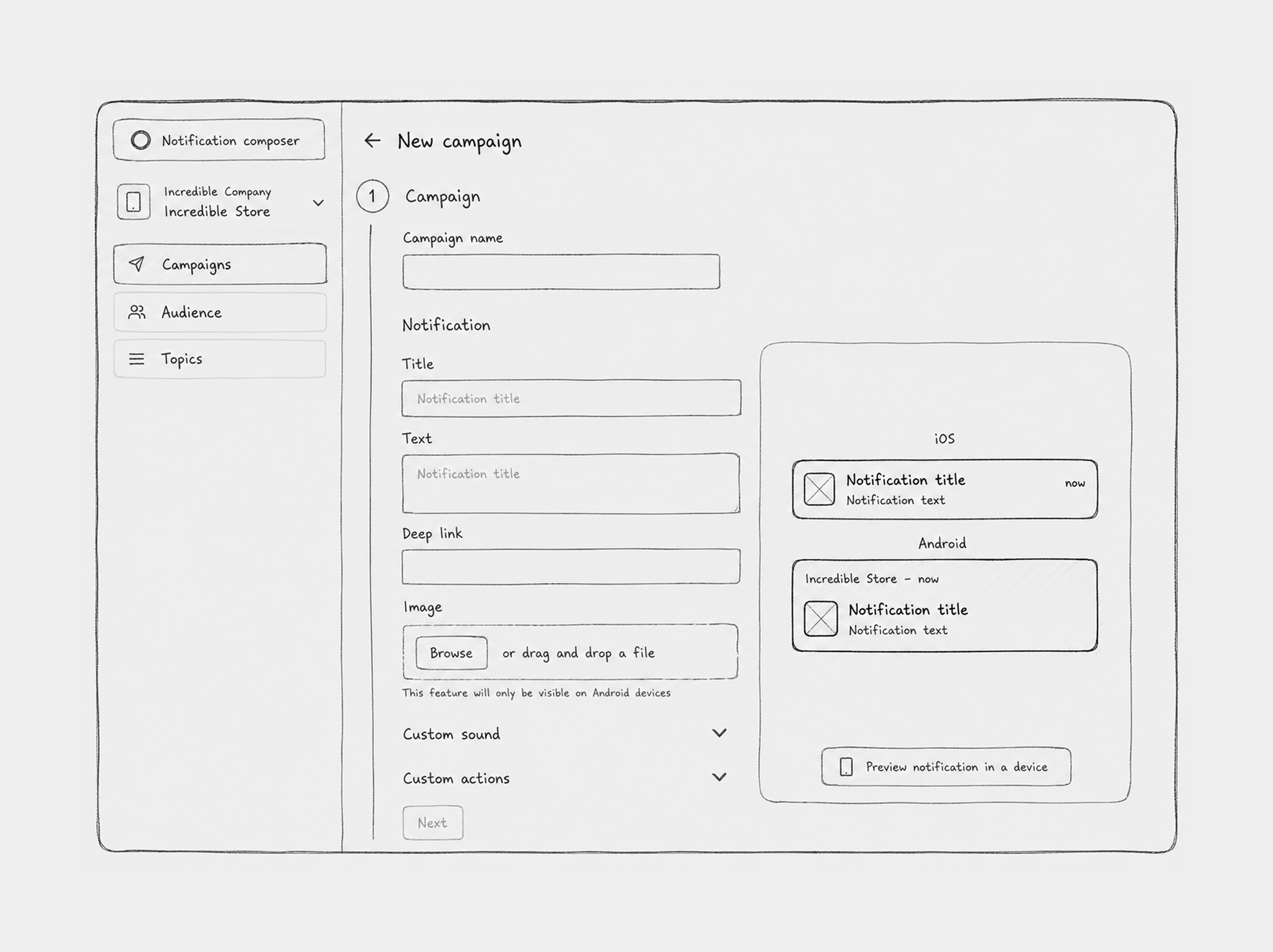
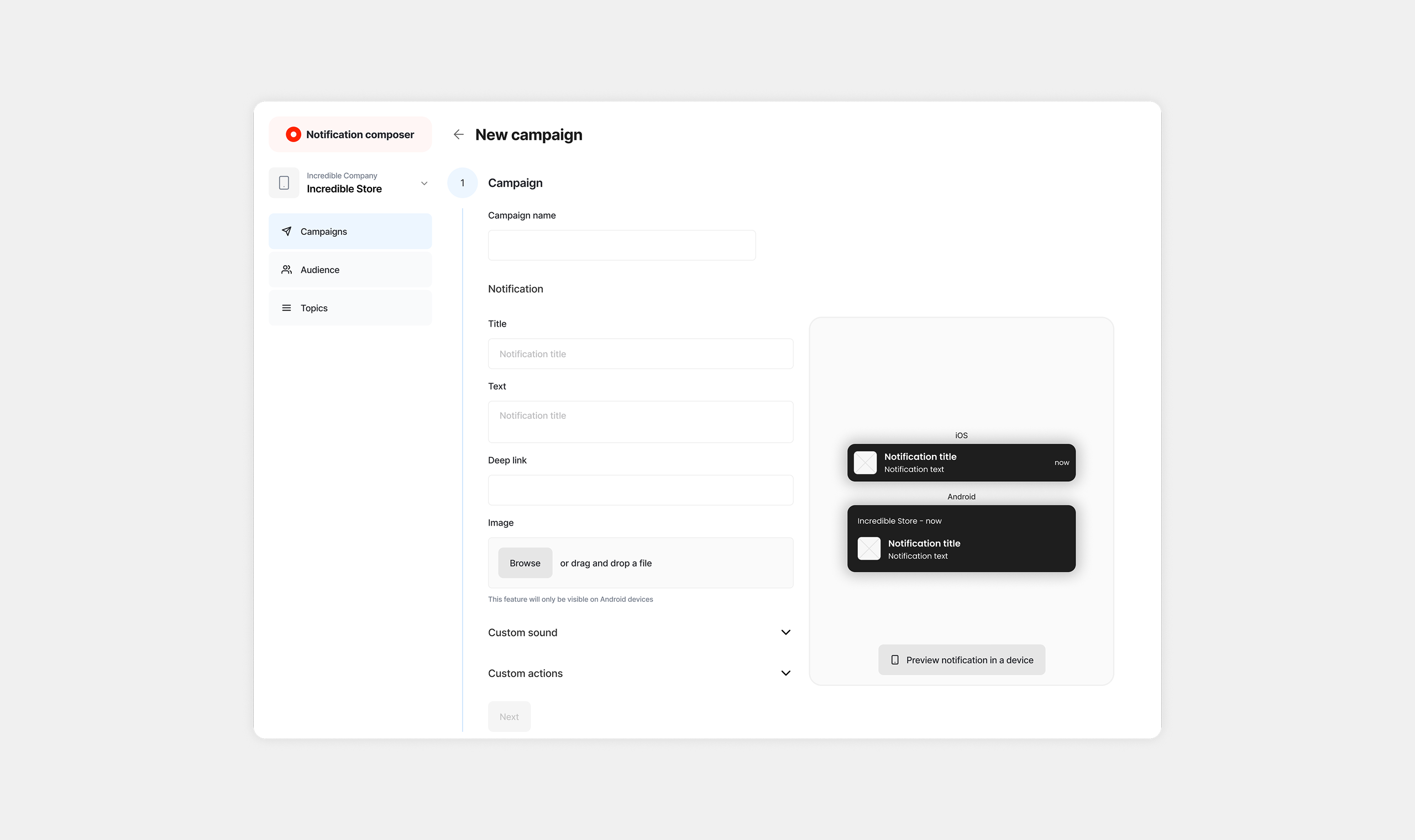
A campaign contains everything needed to send a notification. Message content (title, body, image, custom sounds, custom actions), target recipients, and scheduling. Marketing teams can send immediately or schedule for a future date and time.
Default segmentation by device OS, iOS or Android, is available out of the box, with no developer involvement required after setup. With Apps and Campaigns in place, marketing teams can manage push notifications entirely on their own. No code, no developer dependency for day-to-day operations. That closed the first opportunity.
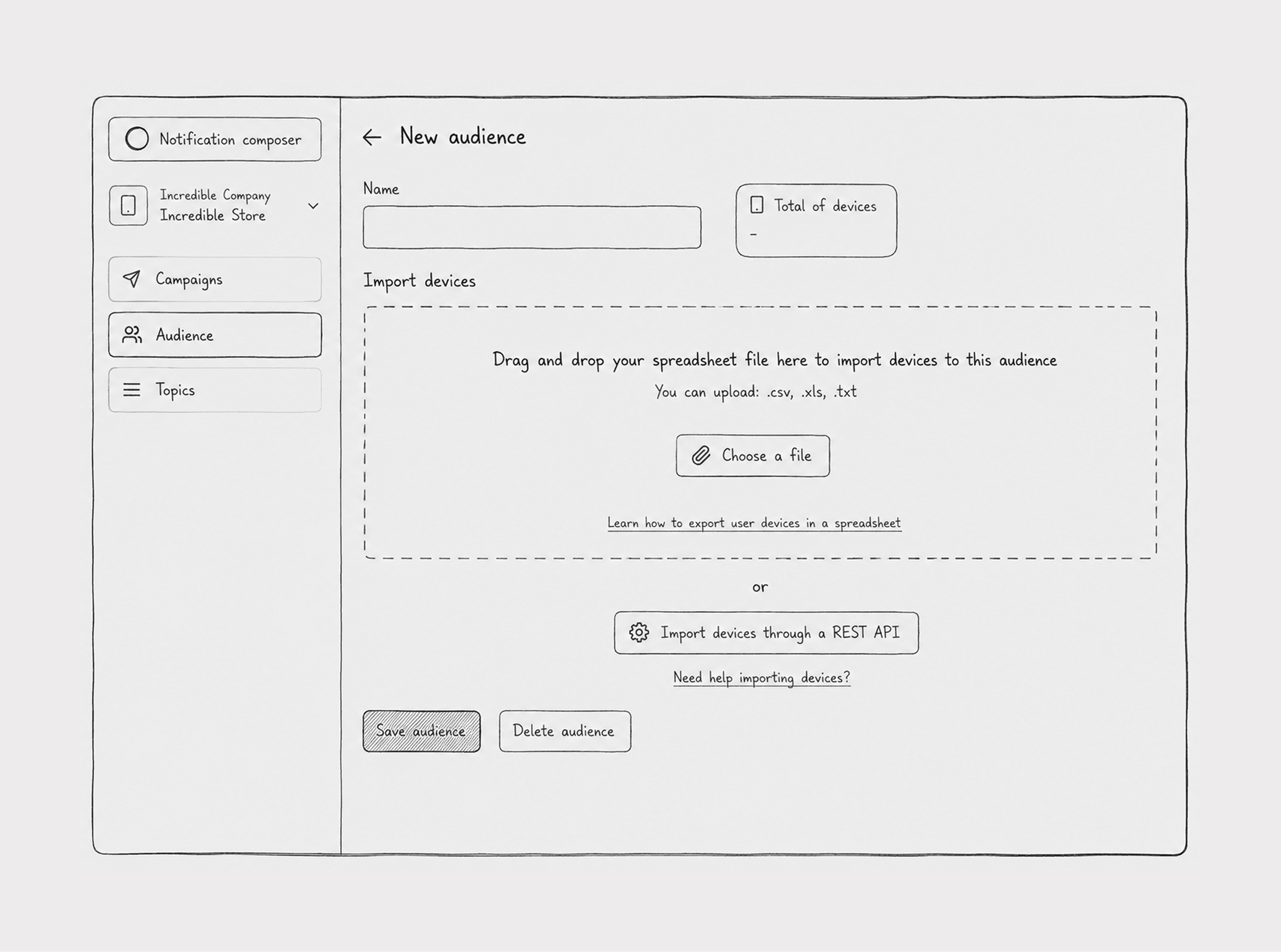
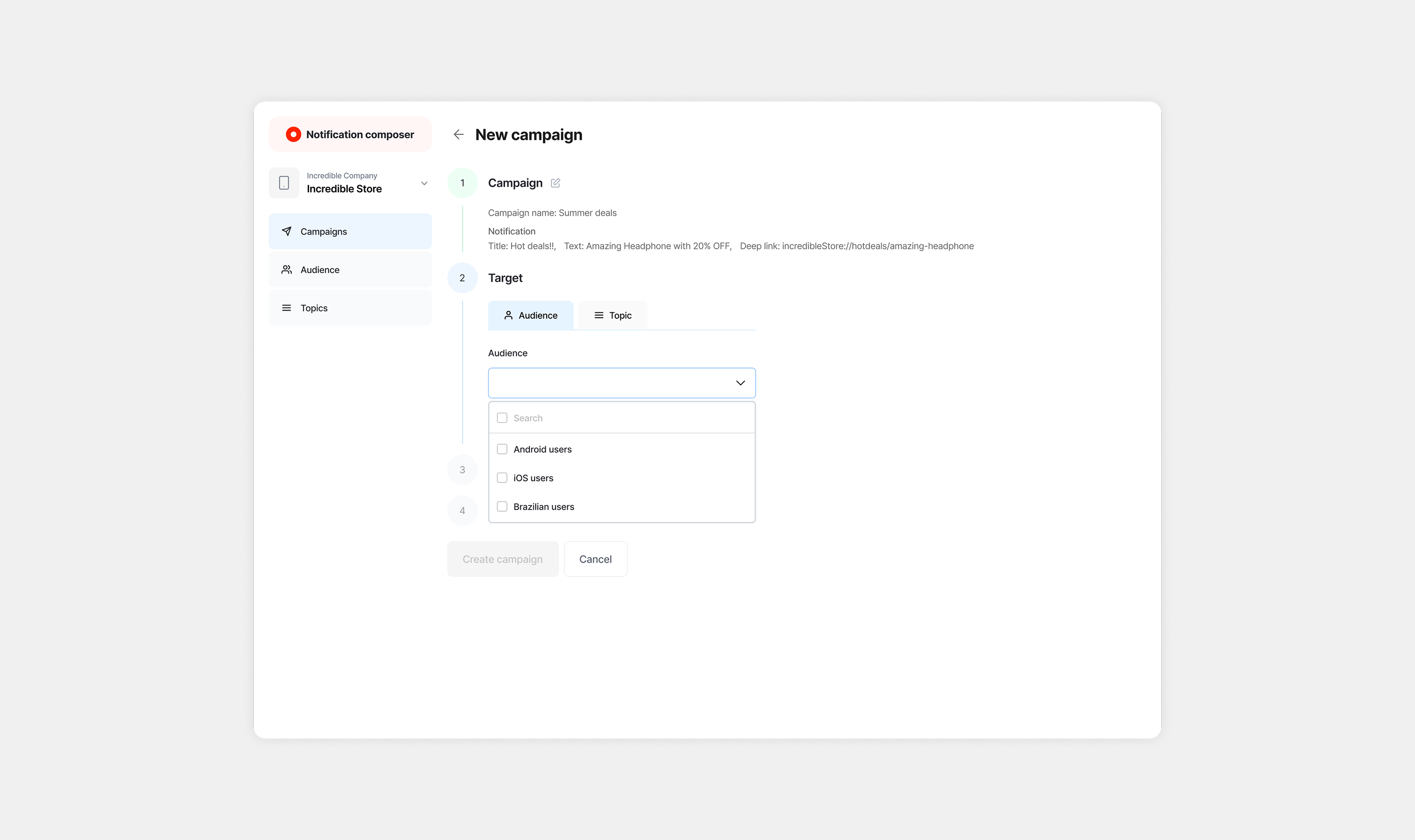
Audiences is where the second opportunity lived. Groups of notification recipients created from user data that lives in the OutSystems app. This is the segmentation layer that Firebase doesn't provide on its own, and it's where the most consequential architectural decision of the project had to be made.
The core challenge was the data handoff. How does user data get from the OutSystems app into the Composer?
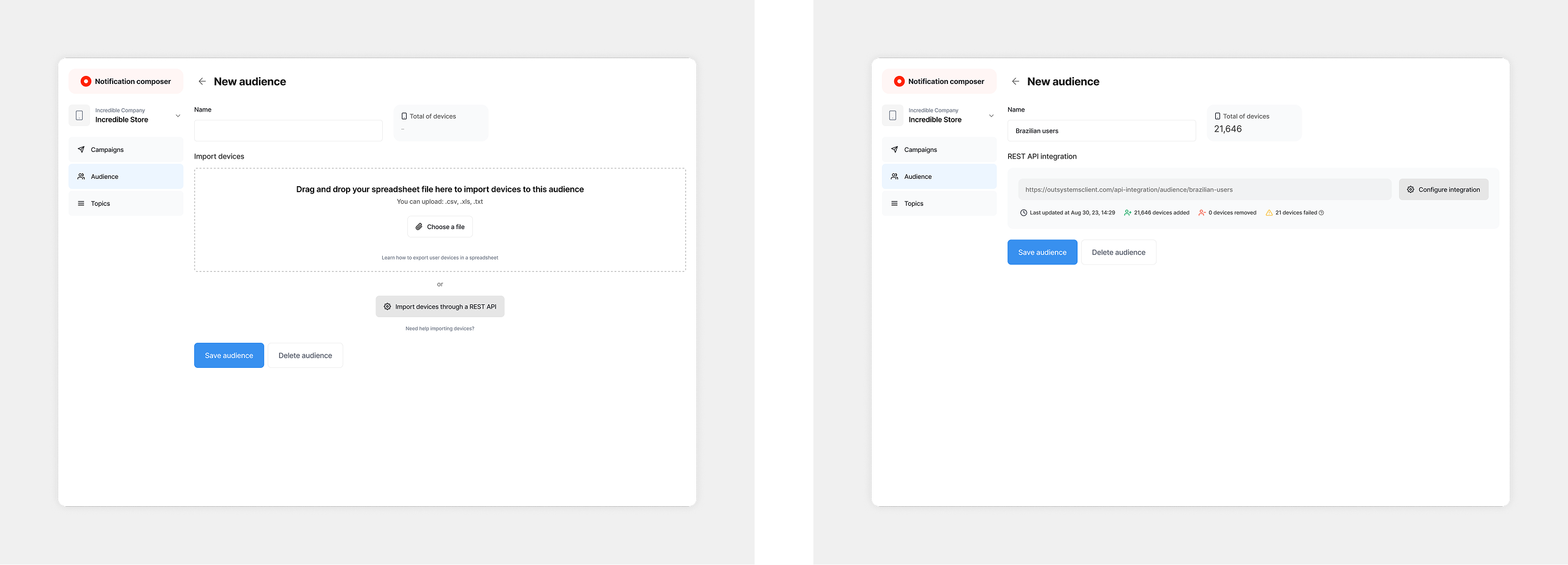
We landed on two methods, and the decision to support both wasn't arbitrary.
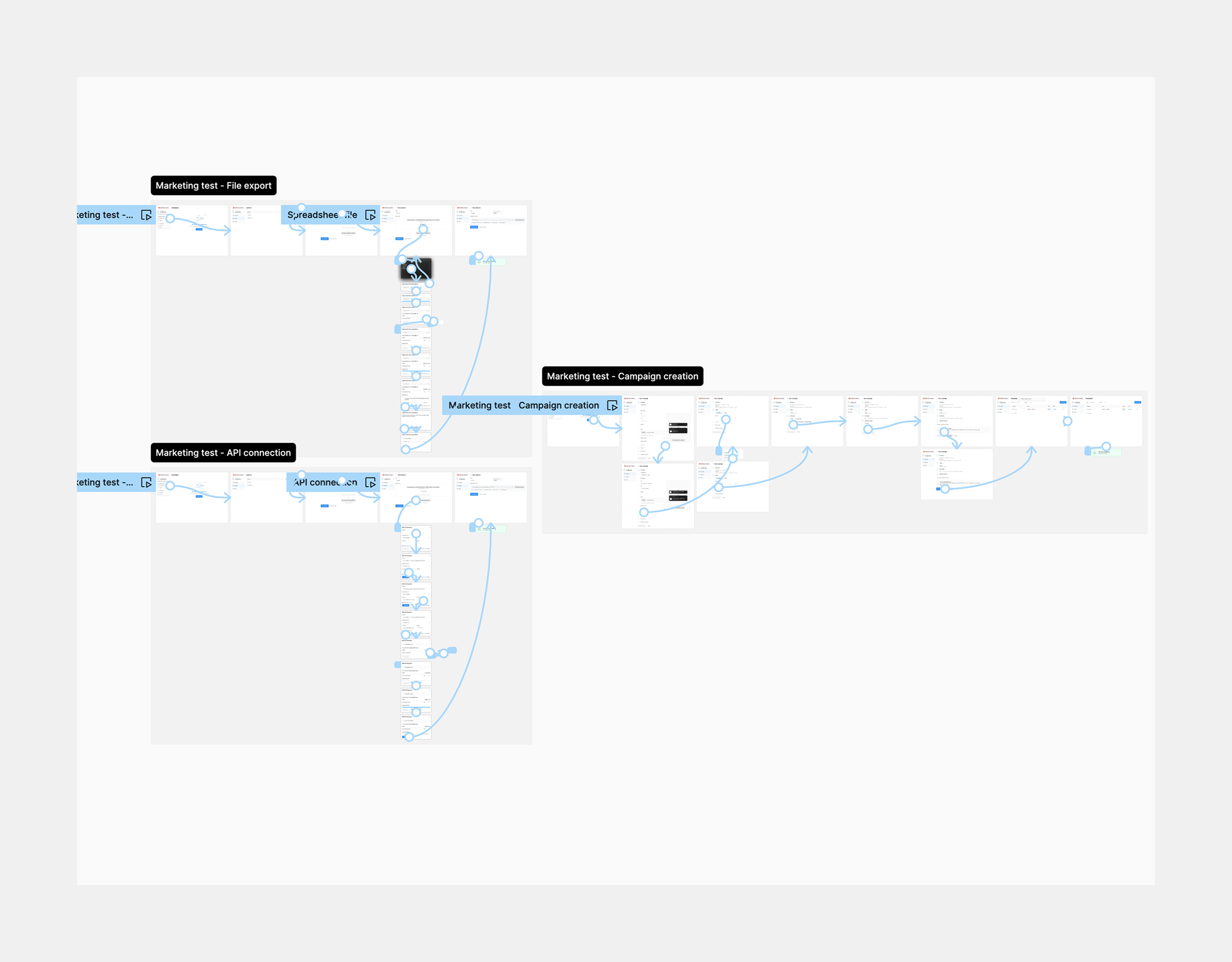
File Export. Developers filter users in the OutSystems app and export their Firebase device IDs as a .csv or .txt file. The marketing analyst uploads that file into the Composer to create an Audience. Simple to implement on the developer side, immediately accessible to any marketing team regardless of technical capacity.
API Integration. Developers expose the filtered user list via a REST API. The Composer connects to that endpoint with credentials, and the Audience syncs automatically. No manual file handling, no stale data.
The reason we offered both came directly from the research and benchmark work. Interviews showed developers were already using API-based approaches in similar custom solutions, it was the pattern they knew and trusted. The benchmark confirmed it as standard across comparable tools. And supporting an API respected a core OutSystems development principle: always expose an API to give developers flexibility downstream.
File Export was the accessibility floor, something any team could use on day one. API Integration was the scalable ceiling, the path for teams that needed automation and live data. Supporting both meant we weren't forcing a capability trade-off onto customers with different levels of technical maturity.
Before handing anything to engineering, I needed external confirmation that the design was sound, specifically for the decisions that carried the most risk. I structured validation around the two personas, running separate phases for each, with different questions, different participants, and methods calibrated to what each phase needed to answer.
I structured validation around the two personas, running separate phases for each. The questions were different, the participants were different, and the methods were calibrated to what each phase needed to answer. The first round ran on lo-fi prototypes to test structure and task completion without visual noise. The second moved into hi-fi, once the structural decisions were locked.
Two questions drove the developer phase. First, would a developer choose our solution over building their own. Second, did the technical requirements, particularly the two segmentation methods, actually fit how developers work.
I ran this in two rounds: on-site interviews and usability tests with 13 developers at the OutSystems office, followed by remote sessions with 6 more, including 3 who had participated in the original discovery research. Looping back to discovery participants was deliberate. They had the most context on the problem, and their reaction to the solution carried more weight than a cold evaluation.
The marketing analyst phase tested whether a non-technical user could realistically manage segmentation using what developers had produced. Would they be comfortable uploading a file or connecting via API with the right credentials?
I ran this with 10 participants via usertesting.com. Five on the file-based segmentation journey, five on the API-based path. The split was designed to test both integration methods under real usage conditions, not just in theory.
29 participants across three distinct validation rounds. The results gave us the confidence we needed to proceed.
Overall experience was measured using the Single Ease Question, a standard post-task usability metric with an industry benchmark of approximately 5.5 out of 7. Our result landed a full point above it.
Developer adoption intent was high across both validation rounds. Marketing analyst task completion confirmed that non-technical users could manage segmentation independently, which was the core bet of the entire project.
With validation complete, I moved into high-fidelity design using the OutSystems UI design system, the same system used across all OutSystems plugins. This was a deliberate choice, not a constraint imposed from outside.
The Composer would live inside the OutSystems ecosystem, and visual consistency with the platform was part of the product's credibility with the developer persona. A composer that looked foreign to the platform would create friction at exactly the moment we needed the developer to trust the solution and proceed with setup.
The Composer shipped as a plugin on the OutSystems Forge, the platform's marketplace for community and first-party solutions. Forge has no recommendation engine, no algorithmic promotion, no paid placement. The only lever available for discoverability is the plugin listing itself.
Our adoption target was 10 downloads per month, derived from usage data on mobile apps already running Firebase push notifications inside the OutSystems ecosystem, the realistic slice of customers with both the need and the setup to use the Composer immediately.
The plugin averaged 14 downloads per month across its first three months. 40% above a target grounded in real usage data. Customers who had been building their own composers for years found it and moved.
That result isn't just an adoption number. It confirms that the demand the research surfaced was real and latent, and that when a supported solution appeared, optimized to be found, it replaced custom-built ones faster than projected.
Beyond direct adoption, the Composer carries a secondary business impact specific to OutSystems' monetization model. As customers scale their composer logic, adding audiences, campaigns, and integrations, they generate Application Objects within the platform. Application Objects are directly tied to OutSystems' licensing model.
The Composer was designed for the user. Its growth trajectory has measurable consequences for platform revenue.